4 Best Online AI Audio Separator Tools in 2026
Mark Jensen | Updated on 2026-09-09
Separating vocals from songs helps you create karaoke tracks, make instrumental versions, practice singing, or edit audio for videos. AI-powered vocal removers can help separate vocals and background music quickly.
Some audio separators focus on accurate vocal removal, while others provide additional stem separation options, editing tools, or flexible upload methods.
In this guide, we compare four popular online AI audio separator tools for different music creation and editing needs.
Part 1. What Is an AI Audio Separator?
An AI audio separator is a tool that separates different elements from a mixed audio track. The most common function is vocal removal, which extracts vocals from a song and creates an instrumental version.
Some advanced audio separators can also work as stem splitters, separating additional elements such as drums, bass, and other instruments.
Part 2. Recommended Online AI Audio Separator Tools
Clumi AI Audio Separator
Clumi AI audio separator focuses on creating instrumental tracks from songs. It provides a simple way to remove vocals and separate music stems without requiring professional audio editing skills. The clean interface and straightforward workflow make it easy to process audio in just a few steps.
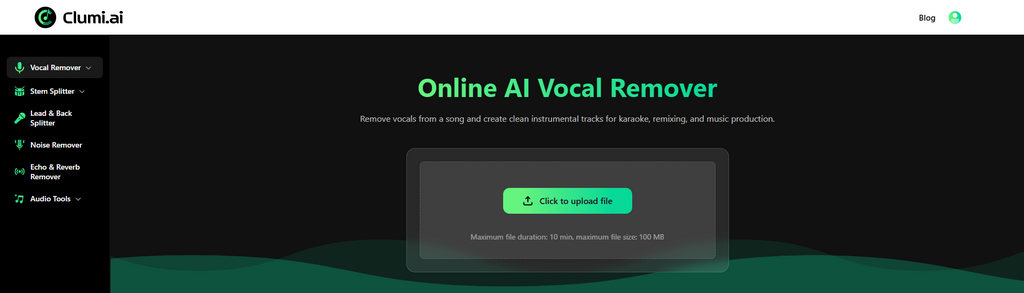
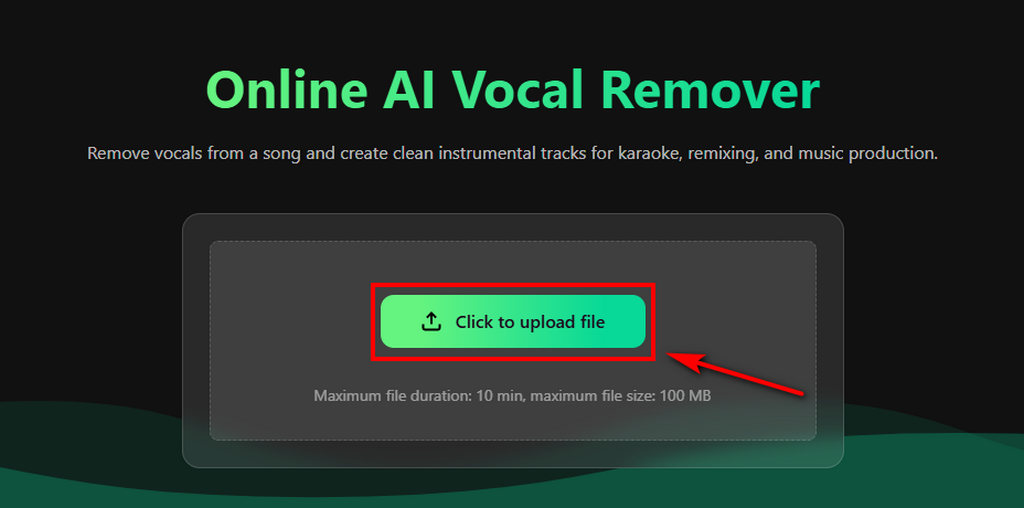
How to separate audio with Clumi AI?
- Upload your audio or video file to Clumi AI audio separator.
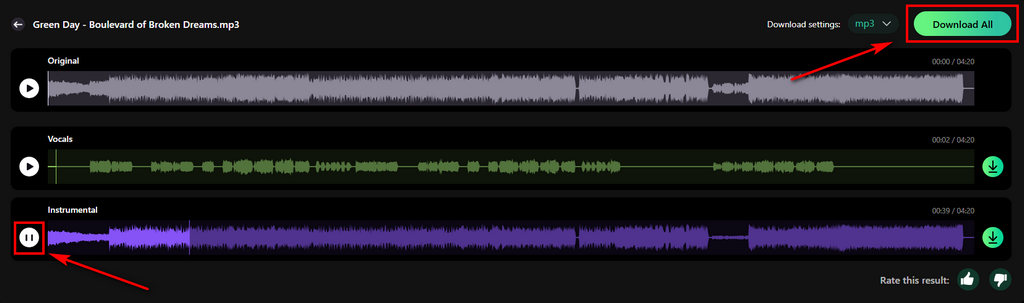
- AI automatically analyzes the file and separates the vocals from the instrumental track.
- Listen to the isolated audio and download the separated tracks with one click.
Pros
- High-quality AI vocal removal
- Supports MP3, WAV, and MP4 files
- Can separate music stems, including vocals, drums, bass, piano, and guitar
- Fast and simple online workflow
- Additional audio tools, including audio-to-MIDI conversion and pitch changing
Cons
- File upload size is limited
Clumi AI Vocal Remover
Remove vocals from songs for karaoke, remixing, music production, and more.
LALAL.AI
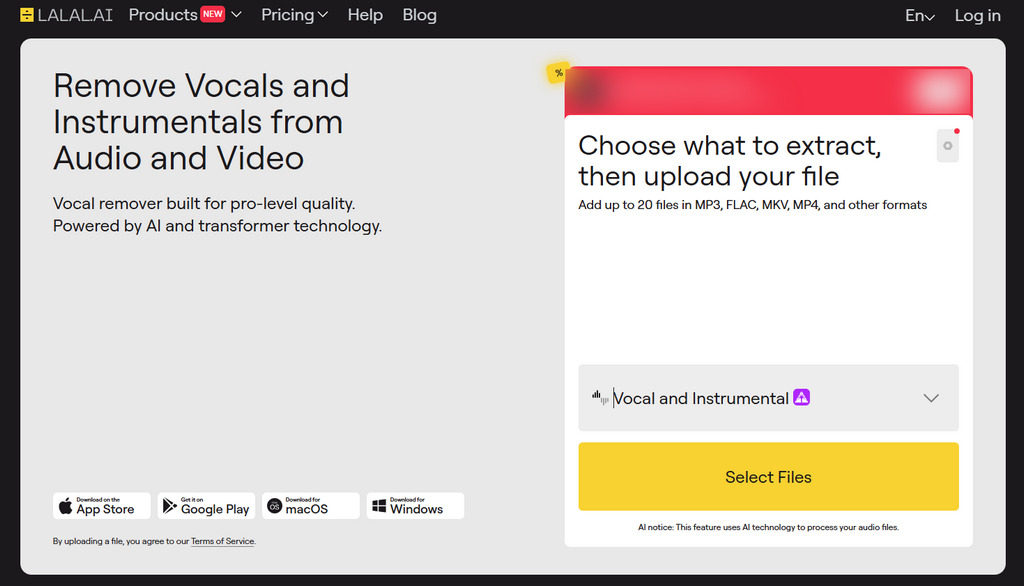
LALAL.AI offers flexible audio separation options. It allows users to choose different AI models depending on the type of audio they want to separate. The platform is widely used for vocal removal and instrument extraction.
Pros
- Multiple AI models for different separation tasks
- Supports vocals and various instruments
- Good separation quality
- Works across major devices
Cons
- Better suited for specific separation tasks rather than complete multi-stem workflows
BandLab Splitter
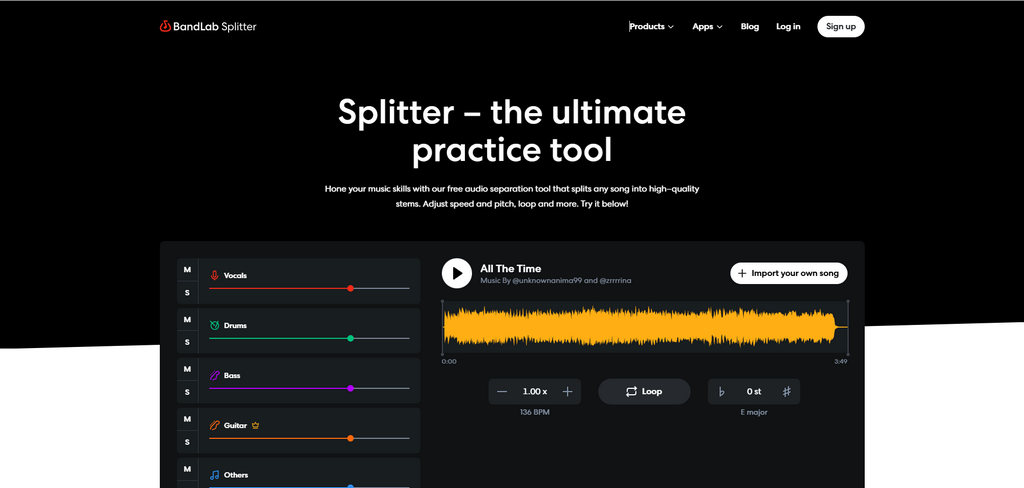
BandLab Splitter is a simple audio separation tool. It focuses on a simple workflow, allowing users to quickly separate tracks and make basic adjustments. It is especially suitable for beginners and casual music creators.
Pros
- Easy-to-use interface
- Supports audio preview before export
- Allows key and BPM adjustments
- Beginner-friendly workflow
Cons
- Limited advanced audio processing features
SoundBoost
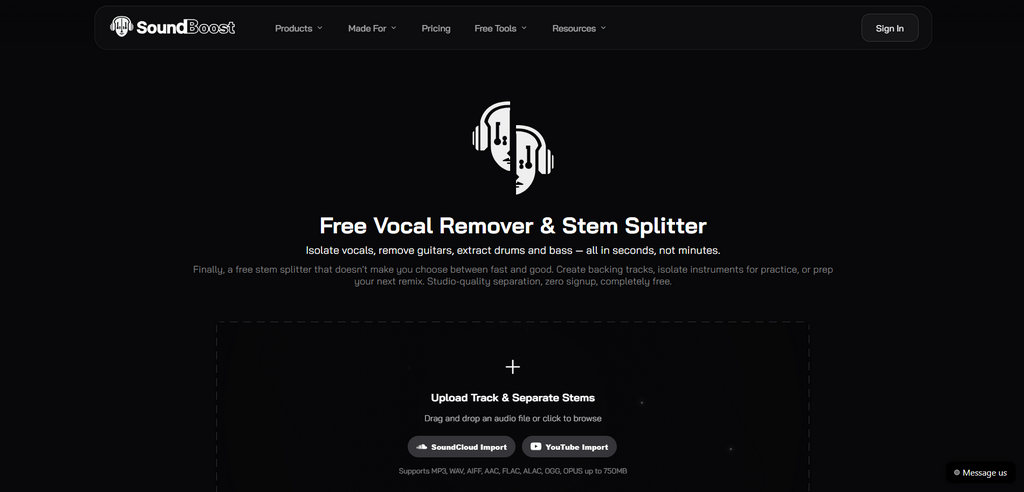
SoundBoost supports local uploads as well as YouTube and SoundCloud links. You can extract vocals and instrumentals from different audio sources. If you want to extract vocals or instrumentals from online platforms, this feature provides a convenient workflow.
Pros
- Supports YouTube and SoundCloud links
- Convenient for making karaoke
- Simple browser-based experience
Cons
- Users need to consider copyright and platform permissions when processing online content
Part 3. How to Choose the Right AI Audio Separator?
Choosing the right audio separator depends on how you plan to use it.
For karaoke creation, vocal removal quality is the most important factor. A good AI vocal remover should create a clean instrumental track while minimizing unwanted vocal artifacts. These tools can also work as instrumental makers and karaoke makers by turning original songs into usable background tracks.
For music production and remixing, tools with additional stem separation options can provide more flexibility by allowing you to isolate different instruments.
For video creators, file compatibility is important. Support for formats such as MP4 can make it easier to remove vocals from videos and create new content.
Before choosing a tool, consider your required features and whether you need simple vocal removal or more advanced stem separation.
Conclusion
AI audio separators have made vocal removal and music separation easier for creators, musicians, and casual users. Clumi AI, LALAL.AI, BandLab Splitter, and SoundBoost AI each offer different features depending on the workflow.
For many users, Clumi AI is a practical option for vocal removal, stem separation, and MP4 support. Give it a try and preview the results yourself to experience high-quality audio separation.
Clumi AI Vocal Remover
Remove vocals from songs for karaoke, remixing, music production, and more.
FAQs About Audio Separation
1. What is an AI audio separator?
An audio separator is a common music processing tool used to separate vocals from instrumental tracks. More advanced tools can go a step further by isolating individual instruments, such as drums, bass, piano, and guitar, from the accompaniment.
2. Can I separate vocals from songs online?
Yes. Clumi AI vocal remover allows you to upload songs and separate vocals from background music without installing software.
3. How to remove vocals from a video?
Open the online audio separator, or switch to stem splitter if you want to separate individual instruments. Upload your file, let the AI process it, then preview and download the separated tracks.
4. What's the best AI audio separator?
Clumi AI is a strong choice for users who need high-quality vocal removal, stem separation, and MP4 support. It makes it easy to create instrumental tracks and separate audio online.