Clumi AI Vs. VocalRemover.org: Choosing the Best AI Vocal Remover
Mark Jensen | Updated on 2026-08-28
Listening to a song with instrumental sounds in the background isn't always ideal. Many people want to hear vocals only, while music editors, producers, and composers often need a vocal remover for different audio tasks.
VocalRemover.org is a popular online tool for separating vocals from music and creating instrumental or karaoke tracks. But choosing the best vocal remover depends on your needs. Some users require advanced stem separation, while others prefer a simple and convenient solution. Clumi AI is an AI-powered audio toolkit designed for singers, creators, musicians, and karaoke enthusiasts.
In this guide, we compare Clumi AI vs. VocalRemover.org based on features, vocal removal quality, stem separation, ease of use, and use cases to help you choose the best vocal remover in 2026.
| Feature | Clumi AI | VocalRemover.org |
|---|---|---|
| Vocal separation | Vocal, lead & back vocal separation | Vocal and instrumental separation |
| Stem types | Vocals, drums, bass, piano, guitar, other | Vocals, bass, drums, others |
| AI Audio Enhancer | Vocal enhancement and noise removal | ❌ |
| Audio Tools | Audio to MIDI, Pitch Changer, Audio Cutter, Slowed + Reverb Generator and more | Remover, Splitter, Pitcher, Key BPM Finder, Cutter, Joiner, Recorder, Karaoke |
| File Limits | No limits | No limits |
| File Duration | Within 1 Hour | 500 min/day (Paid) |
| Batch processing | Yes | ❌ |
| Support formats | Audio & video formats | Audio files |
| Free usage | Up to 3 files | 1 file / 10 minutes per day |
| Best for | Everyday users, singers, and content creators | Users who need quick vocal removal, karaoke, or basic stem separation |
Part 1. What is Clumi AI?
Clumi AI is an AI-powered vocal and music processing tool that helps users separate vocals from instrumentals and create karaoke-ready tracks. With AI-based audio separation, users can extract vocals or instrumental tracks without manually editing individual audio layers.
More than a standalone vocal remover, Clumi AI combines vocal separation with audio and video processing features, making it suitable for karaoke makers, singers, musicians, content creators, and casual users. Whether you want to remove vocals from a song, create an instrumental version, or prepare a track for karaoke, Clumi AI provides a straightforward way to get the job done.
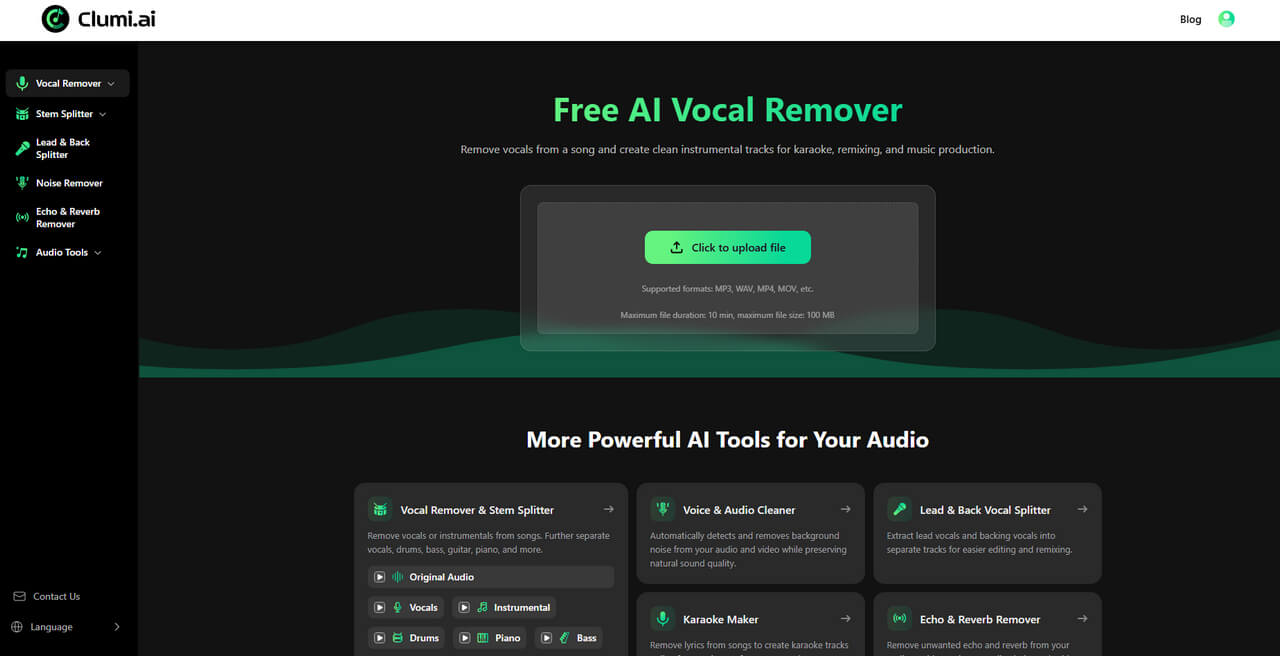
Key Features of Clumi AI:
- AI Vocal Remover: Remove vocals from songs while preserving clear instrumental details, with Lead & Back Vocal Separation for more precise isolation of lead and backing vocals.
- AI Audio Enhancer: Enhance vocal clarity and reduce unwanted background noise for cleaner audio.
- Advanced Stem Splitter: Separate songs into vocals, drums, bass, piano, guitar, and other instrumental stems.
- Versatile Audio Tools: Access tools such as Audio to MIDI, Pitch Changer, Audio Cutter, and Slowed + Reverb Generator.
- Karaoke Maker: Create instrumental and karaoke tracks for singing practice, performances, and content creation.
- Video Vocal Remover: Remove vocals from video files directly without extracting the audio first.
- Batch Processing: Process multiple files at once for a faster and more efficient workflow.
- Multiple Format Support: Support a wide range of popular audio and video formats.
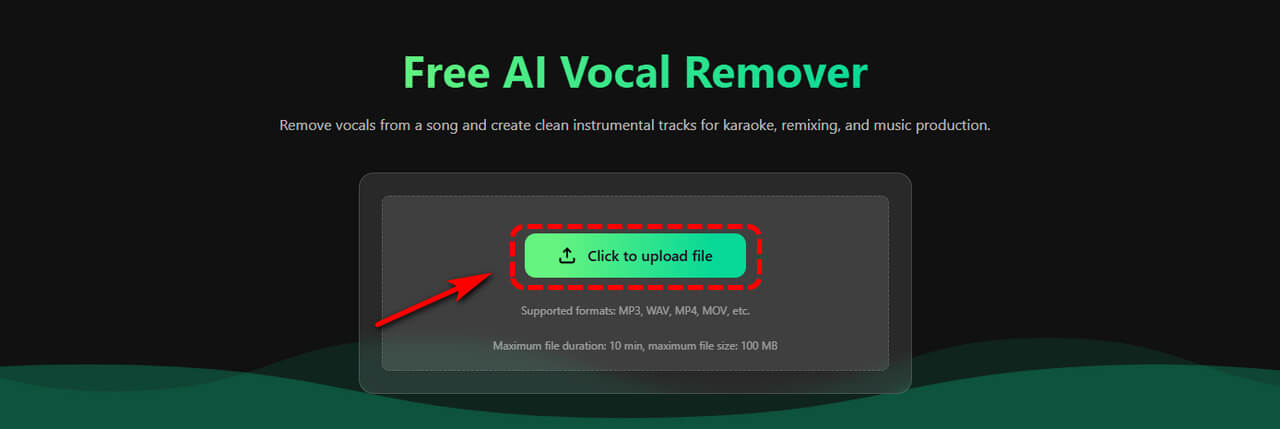
How to Remove Vocals from a Song with Clumi AI?
- Open the Clumi AI vocal remover and upload your audio or video file.
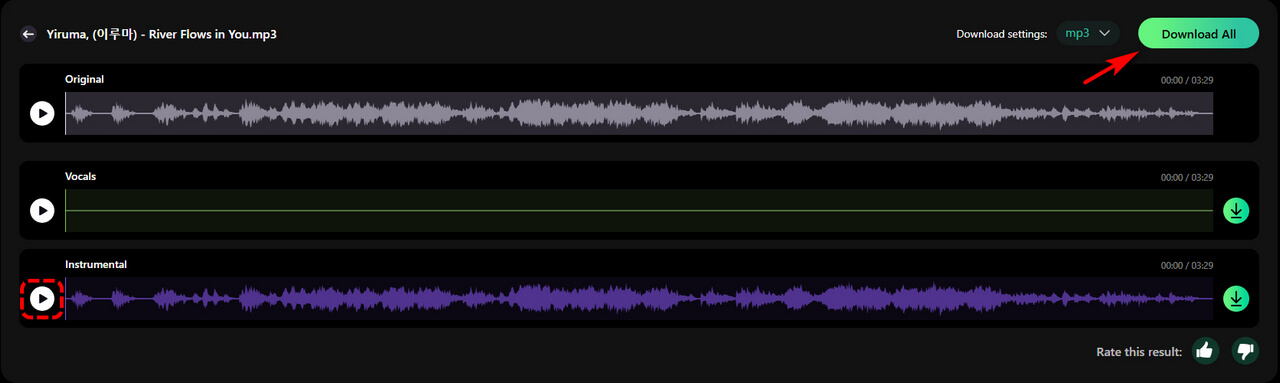
- Once your file is uploaded, Clumi AI automatically processes the track and separates the vocals from instrumental music.
- Preview the separated vocal and instrumental tracks, select the version you need, and download the final audio file.
Clumi AI Vocal Remover
Remove vocals from songs for karaoke, remixing, music production, and more.
Part 2. What is VocalRemover.org?
VocalRemover.org is an online AI-powered tool designed to remove vocals from songs and separate vocals from instrumental music. As a browser-based solution, it provides a simple way to create an instrumental or karaoke version of a song without requiring users to install professional audio-editing software.
The platform is primarily focused on vocal removal and stem separation, making it suitable for users who need a quick way to isolate vocals or background music from a track.
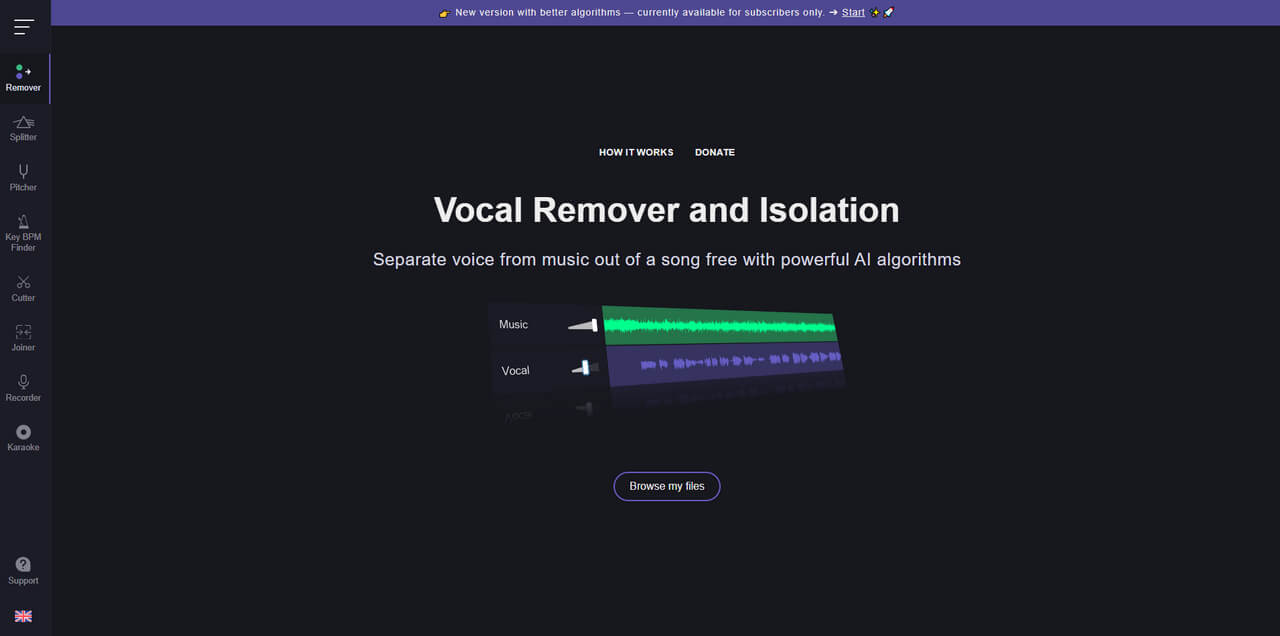
Key Features of VocalRemover.org:
- Vocal Remover & Isolation: Remove vocals from songs or isolate vocal tracks for karaoke, practice, and other music projects.
- Music Splitter: Separate songs into vocals, music, bass, and drums for more flexible audio editing.
- Pitcher: Adjust the pitch and tempo of an audio track to match your desired key and speed.
- Key & BPM Finder: Detect a song's key, scale, and BPM to help with music analysis and production.
- Audio Cutter: Trim audio files into your desired sections and export them as MP3 or WAV files.
- Audio Joiner: Combine multiple audio tracks into a single file and rearrange or remove tracks as needed.
- Audio Recorder: Record voice or other audio directly in your browser for music, video, and remix projects.
Part 3. Clumi AI Vs. VocalRemover.org - Feature Comparison
Vocal Removal & Separation
Both Clumi AI and VocalRemover.org can remove vocals from songs and create instrumental tracks for karaoke and music practice. However, Clumi AI offers more advanced vocal separation options, including Lead & Back Vocal Separation, allowing users to isolate lead vocals and backing vocals separately.
Listen to Clumi AI vocal removal results:
Before
Original Track
After
Vocals
Instrumental
Best choice:
- Professional vocal separation → Clumi AI
- Basic online vocal removal → VocalRemover.org
Stem Separation
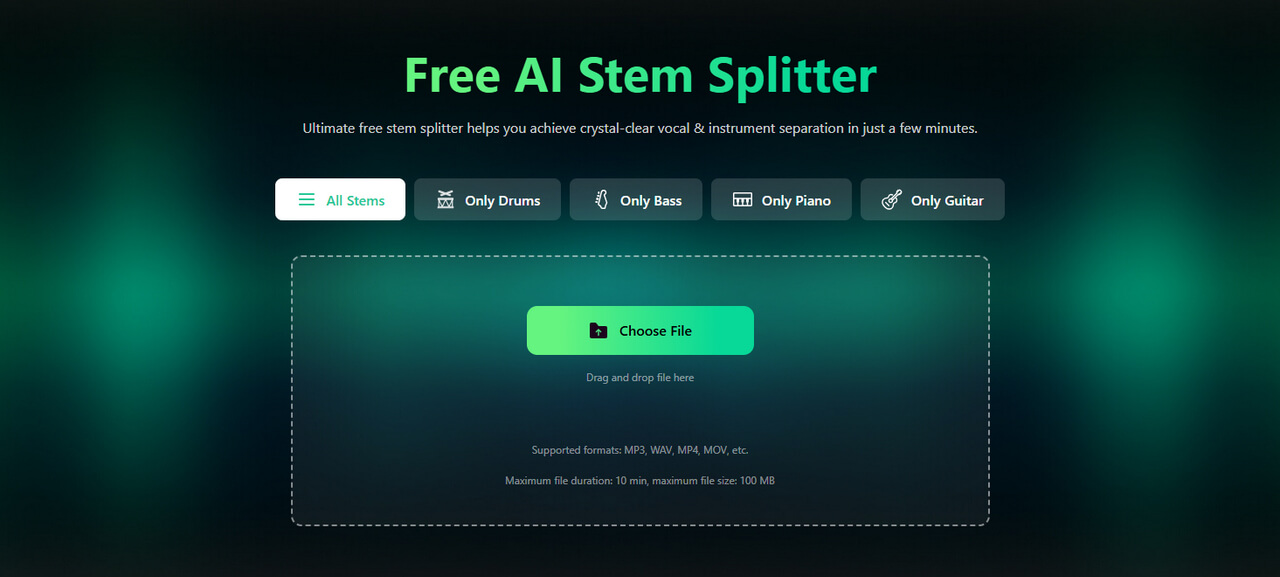
VocalRemover.org supports basic stem separation, including vocals, bass, and drums. Clumi AI offers a broader range of stem separation options, including vocals, drums, bass, piano, guitar, and other instruments.
For users who need to isolate specific instruments for remixing, music practice, or creative projects, Clumi AI provides more flexible stem separation.
Listen to Clumi AI stem separation results:
Before
Original Track
After
Best choice:
- Professional stem separation & multi-instrument isolation → Clumi AI
- Basic stem separation → VocalRemover.org
Audio & Video Support
Clumi AI supports both audio and video files, allowing users to remove vocals directly from video content without first extracting the audio track.
VocalRemover.org primarily focuses on audio files. As a result, Clumi AI is a more convenient option for users working with music videos, performance videos, and other video-based content.
Best choice:
- Professional audio & video vocal removal → Clumi AI
- Basic audio vocal removal → VocalRemover.org
Processing Limits
Both platforms provide flexible file processing, but their usage rules differ.
Clumi AI allows users to process files of up to 1 hour in length and supports batch processing, making it more suitable for longer files and multiple files. Its free usage also allows users to process up to 3 files.
VocalRemover.org's free usage is more restricted, with free users limited to 1 file per day and 10 minutes per file. Its paid plan increases the daily allowance to 500 minutes per day.
Best choice:
- Longer files, batch processing & flexible usage → Clumi AI
- Basic file processing with daily limits → VocalRemover.org
Ease of Use
Both Clumi AI and VocalRemover.org are designed to simplify vocal removal without requiring professional audio-editing skills. Users can upload a file, let the AI process it, preview the results, and download the separated tracks.
Clumi AI's advantage is that users can access vocal removal, stem separation, audio enhancement, and additional audio tools in one platform, reducing the need to switch between different services for different tasks.
Karaoke & Music Creation Features
Both platforms can be used to create instrumental tracks and karaoke versions of songs. However, Clumi AI provides a broader set of tools for music creation.
In addition to vocal removal and stem separation, Clumi AI offers tools such as Audio to MIDI, Pitch Changer, Audio Cutter, and Slowed + Reverb Generator. Combined with its AI Audio Enhancer and Karaoke Maker, these features allow users to complete more music-related tasks within one platform.
VocalRemover.org also includes useful tools such as a Pitcher, Key & BPM Finder, Cutter, Joiner, and Recorder, but its core focus remains on vocal removal and basic audio processing.
Part 4. Which AI Vocal Remover Should You Choose?
Understanding how Clumi AI and VocalRemover.org differ can help you choose the right AI vocal remover based on your audio creation needs.
Choose Clumi AI if you:
- Want a professional yet easy-to-use AI vocal remover for clean vocal and instrumental separation.
- Need to create karaoke tracks, cover songs, backing tracks, or music practice tracks with minimal editing.
- Want more than basic vocal removal, with features such as stem separation, noise removal, audio enhancement, and karaoke creation.
- Need to process both audio and video files without extracting the audio first.
- Need longer file processing and batch processing for multiple tracks.
- Prefer a streamlined workflow suitable for singers, musicians, creators, and everyday users.
Choose VocalRemover.org if you:
- Need a simple online tool for basic vocal removal.
- Mainly work with short audio files and do not need batch processing.
- Only need basic separation of vocals, bass, and drums.
- Prefer a straightforward browser-based solution for occasional vocal removal.
- Do not require advanced audio creation or enhancement features.
Conclusion
Clumi AI and VocalRemover.org serve different needs. VocalRemover.org focuses on basic online vocal removal and simple stem separation, while Clumi AI combines professional vocal removal with stem separation, audio enhancement, noise removal, karaoke creation, and audio & video support.
The better choice depends on your needs. For basic vocal removal, VocalRemover.org is a straightforward option. For professional, versatile AI audio processing across karaoke, cover songs, music practice, and content creation, Clumi AI offers a more comprehensive solution.
Clumi AI Vocal Remover
Remove vocals from songs for karaoke, remixing, music production, and more.
Best choice based on your needs:
- Professional, versatile, and feature-rich vocal separation → Clumi AI
- Simple and basic online vocal removal → VocalRemover.org
FAQs
1. Is Clumi AI a good VocalRemover.org alternative?
Clumi AI vocal remover is a versatile VocalRemover.org alternative with advanced vocal separation, stem splitting, batch processing, and video support.
2. Can Clumi AI process both audio and video files?
Yes. Clumi AI vocal remover supports both audio and video files, making it convenient for vocal removal, karaoke creation, and content creation.
3. Is Clumi AI the best vocal remover for creators?
Clumi AI is a strong choice for creators who need vocal removal, karaoke creation, music practice, and audio & video processing.
4. Is Clumi AI a best vocal remover for multi-stem separation?
Clumi AI supports vocals, drums, bass, piano, guitar, and other stems, plus lead and backing vocal separation.