How to Remove Vocals from Video: A Complete 2026 Guide
Mark Jensen | Updated on 2026-08-20
If you're looking for how to remove vocals from a video, you're not alone. Whether you're creating a karaoke track, making an instrumental version, or removing unwanted vocals or commentary, there are several ways to do it.
This guide covers how to remove vocals from video online, introducing Clumi and other popular AI vocal removal tools with step-by-step instructions to help you find the right method for your needs.
Part 1. Remove Vocals from Video Online
Best for Speed & Ease: Clumi Online Vocal Remover
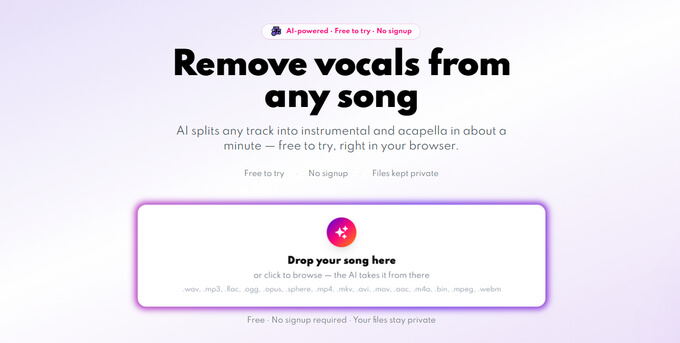
Clumi AI Vocal Remover is an AI vocal remover that helps users remove vocals from video and audio files while preserving the instrumental music. With support for multiple file formats, Clumi makes it easy for creators, singers, musicians, and karaoke enthusiasts to remove vocals from video online and create instrumental tracks.
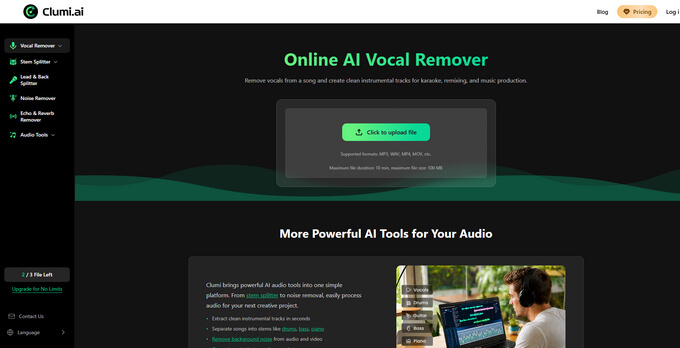
How to remove vocals from a video with Clumi:
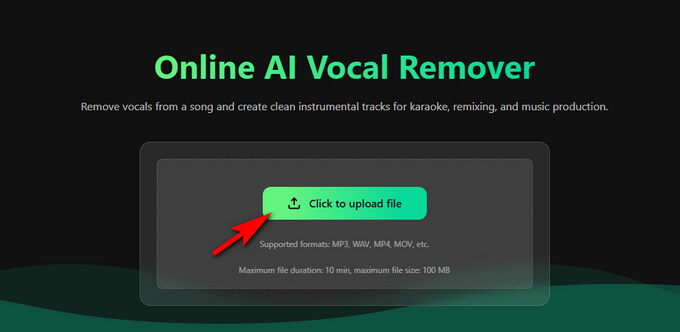
- Open Clumi and upload the video file from which you want to remove vocals.
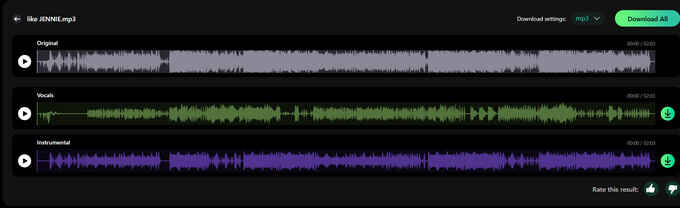
- After uploading your file, Clumi automatically analyzes the audio and separates the vocals from the video.
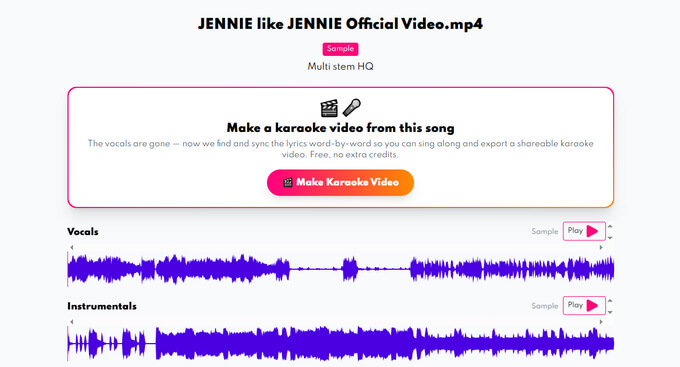
- Preview the vocal-removed result to make sure it sounds right. Then select your preferred output quality, resolution, and format before exporting the final file.
AI Stem Separation: LALAL.AI
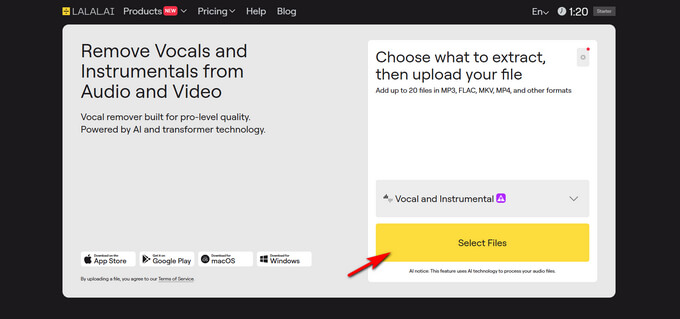
LALAL.AI is an AI-powered stem separation tool that helps users remove vocals from video and audio files while preserving the instrumental track. It can separate vocals from background music and other audio elements, making it useful for creating karaoke tracks, instrumental versions, and remixes.
Follow the steps below to remove vocals from video:
- Open LALAL.AI. and upload the video you want to remove vocals from.
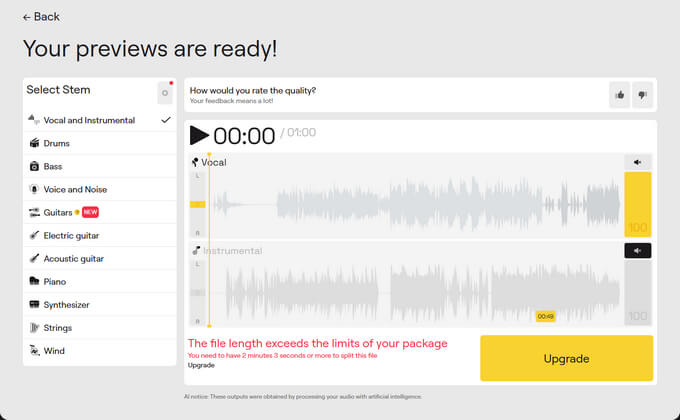
- Select the vocal and instrumental separation option and let LALAL.AI process the file.
- Download the processed instrumental track without the vocals.
AI Vocal Removal with UVR
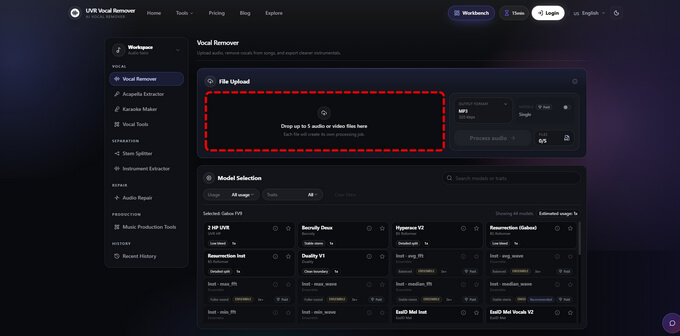
UVR (Ultimate Vocal Remover) is an AI-powered vocal separation tool that removes vocals from audio files while preserving the instrumental track. It offers multiple separation models and processing options, making it suitable for creating karaoke tracks, instrumental versions, covers, and remixes.
Follow these steps to remove vocals from a video with UVR:
- Open UVR and import the audio or video file you want to process. Select the appropriate vocal separation model for your file.
- Choose the output settings and start the separation process. UVR will analyze the audio and separate the vocals from the instrumental track.
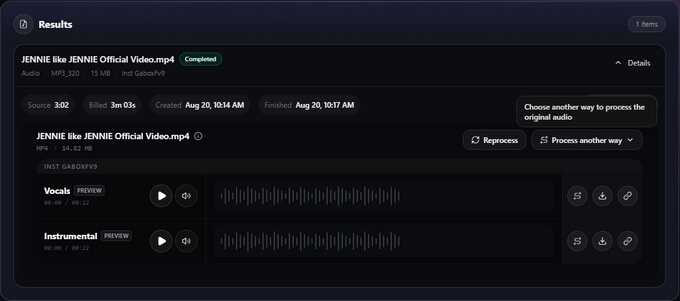
- Once processing is complete, preview the instrumental track and save the vocal-free result to your computer.
Online Vocal Separation with Vocal Remover
Vocal Remover is an AI-powered online tool that helps you remove vocals from video and audio files directly in your browser. Its simple interface lets you upload a file and automatically separate vocals from the instrumental track and other audio elements.
Follow these steps to remove vocals from a video:
- Open your browser and visit the official Vocal Remover website.
- Drag and drop your video file into the tool's interface or click the Drag or select audio file here section to upload your file.
- Preview the Vocals, Instrumental, Bass, Drums, Others, or Original tracks, then download the tracks you need in MP3 format.
Part 2. Which Method Should You Choose?
The best way to remove vocals from a video depends on how quickly you want to get the job done, where you want to process your files, and how much control you need over the audio.
Choose Clumi for the Easiest Workflow
If you want to remove vocals from a video quickly without dealing with complicated audio-editing software, Clumi is a convenient option. Its online version works directly in the browser, while the desktop version is suitable for users who prefer processing files on their PC.
Choose an Online Tool for Quick, Occasional Use
Online tools such as Clumi, LALAL.AI, and Vocal Remover are useful when you want to process a video without installing traditional audio-editing software. They are particularly convenient for occasional vocal removal, karaoke creation, and quick instrumental extraction.
Choose UVR for More Separation Options
UVR is a better fit if you want more control over the vocal-separation process and are comfortable working with different models and settings. It can be useful for users who want to experiment with different separation results.
Conclusion
Removing vocals from videos is no longer a complicated task. With AI-powered vocal removal tools, you can quickly separate vocals from instrumental music and create karaoke tracks, instrumental versions, or remixes without advanced editing skills.
Among the available options, Clumi AI Vocal Remover stands out for its simple workflow, making it an easy and convenient choice for anyone who wants to remove vocals from video online.
Clumi AI Vocal Remover
Remove vocals from songs for karaoke, remixing, music production, and more.
FAQs About Removing Vocals from Video
1. How do I remove voice from a video and keep music?
You can use Clumi AI vocal remover to separate vocals from instrumental music. Simply upload your video, let Clumi analyze and separate the vocals, then preview and download the vocal-free version while keeping the background music.
2. How to remove voice in video without affecting background music?
Use our AI Vocal Remover to separate vocals from instrumental music. Upload your video to Clumi, let the AI process the audio, then preview and export the vocal-free version while keeping the background music.
3. What's the easiest way to remove voice from video for beginners?
For beginners, Clumi AI Vocal Remover is an easy option. Simply upload your video, let Clumi automatically separate the vocals from the instrumental music, preview the result, and export the vocal-free version without any advanced editing skills.