How to Isolate Bass and Drums for Music Production
Mark Jensen | Updated on 2026-09-16
When we think about the most recognizable parts of a song, vocals and melody often come to mind first. But bass and drums are also essential to how music is built, performed, and experienced. While they don't usually carry the main melody, they provide rhythm, groove, low-end foundation, and energy. For producers, isolating bass and drums can make it easier to study arrangements, create samples and loops, or develop new production ideas.
An AI stem splitter can help extract these elements from a finished song without requiring access to the original multitrack project.
Part 1. Why Isolate Bass and Drums for Music Production?
If you only have a finished song, separating the bass and drums can give you more flexibility in your production workflow. You can listen to each part on its own, study how they work together, or reuse selected sections in a new project.
Hear what the separation changes:
Before
Original Track
After
Bass
Drum
Create Samples and Loops
Isolated bass and drum tracks can be edited into loops, samples, or other reusable material for music production. You can also examine specific sections to study how bass lines and drum patterns work together.
Build New Arrangements and Remixes
Bass and drums are a big part of what gives a track its rhythm and groove. If you only have the finished song, separating them can be useful when you want to look more closely at the rhythm section, reuse a bass line or drum pattern, or use them as a starting point for a new idea.
You don't need the original multitrack project. An AI stem splitter can separate these parts from the finished mix and give you individual stems to work with.
Part 2. How to Isolate Bass and Drums with Clumi AI
With Clumi AI stem splitter, you can isolate bass and drums online in a few steps. You don't need the original project file to extract bass and drums from a finished song. AI-powered stem separation can analyze a mixed track and separate its musical elements into individual stems.
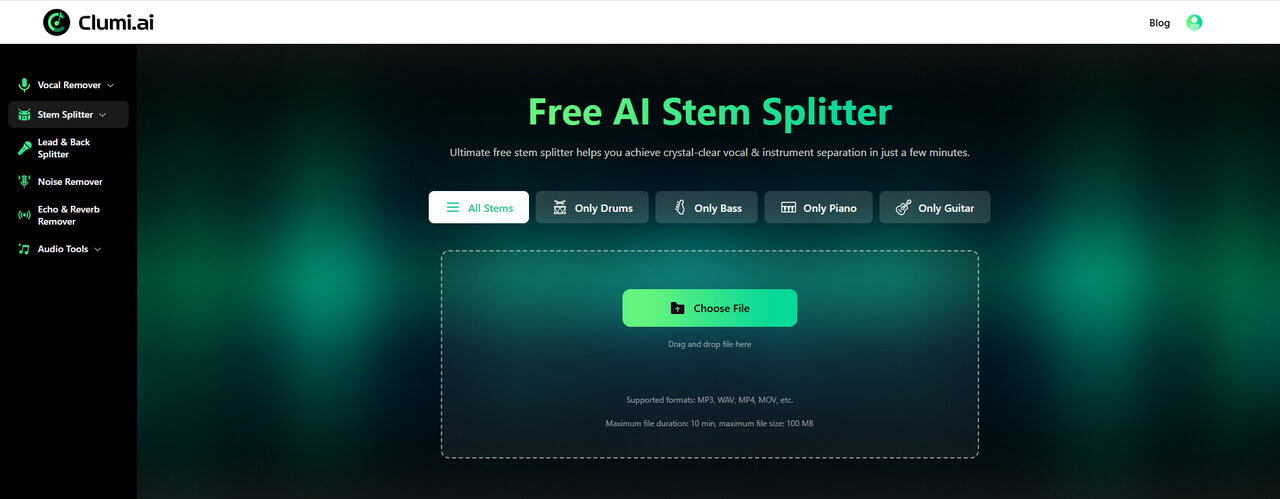
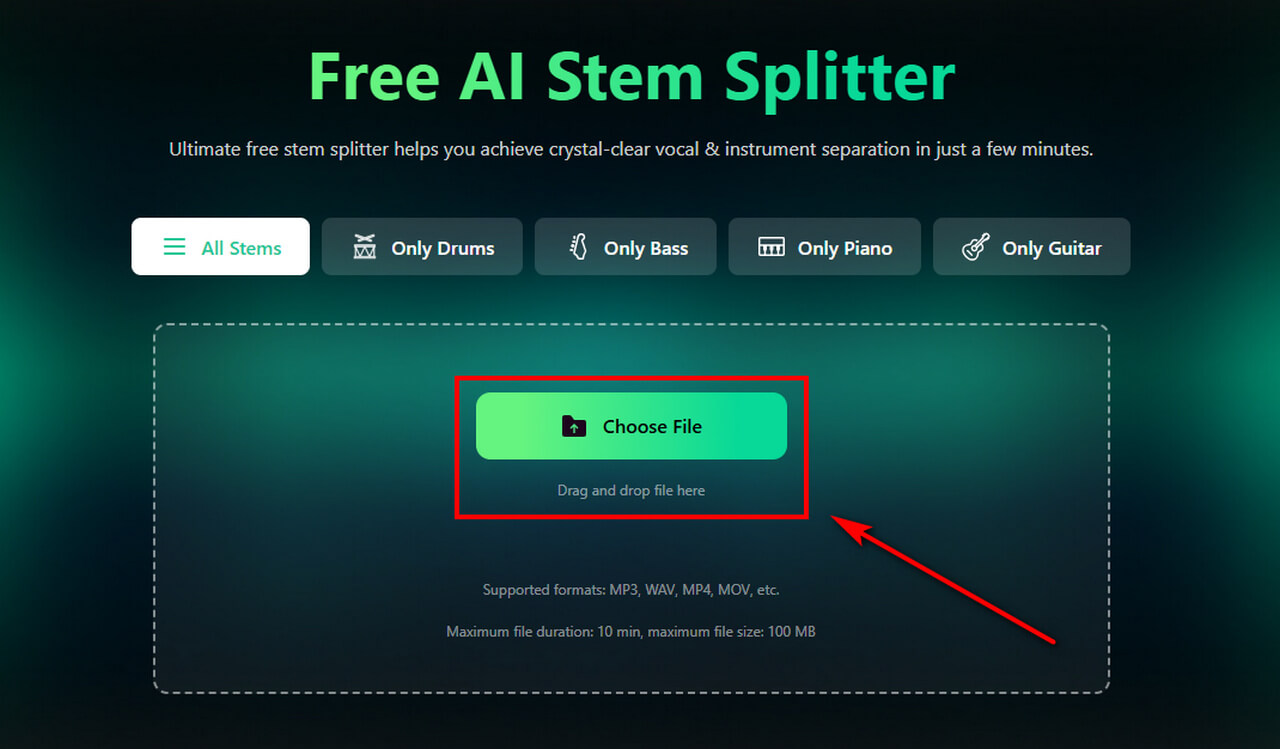
- Upload the song you want to process to Clumi. The tool supports common audio and video formats, including MP3, WAV, MP4, and MOV. For better results, use a high-quality source file whenever possible.
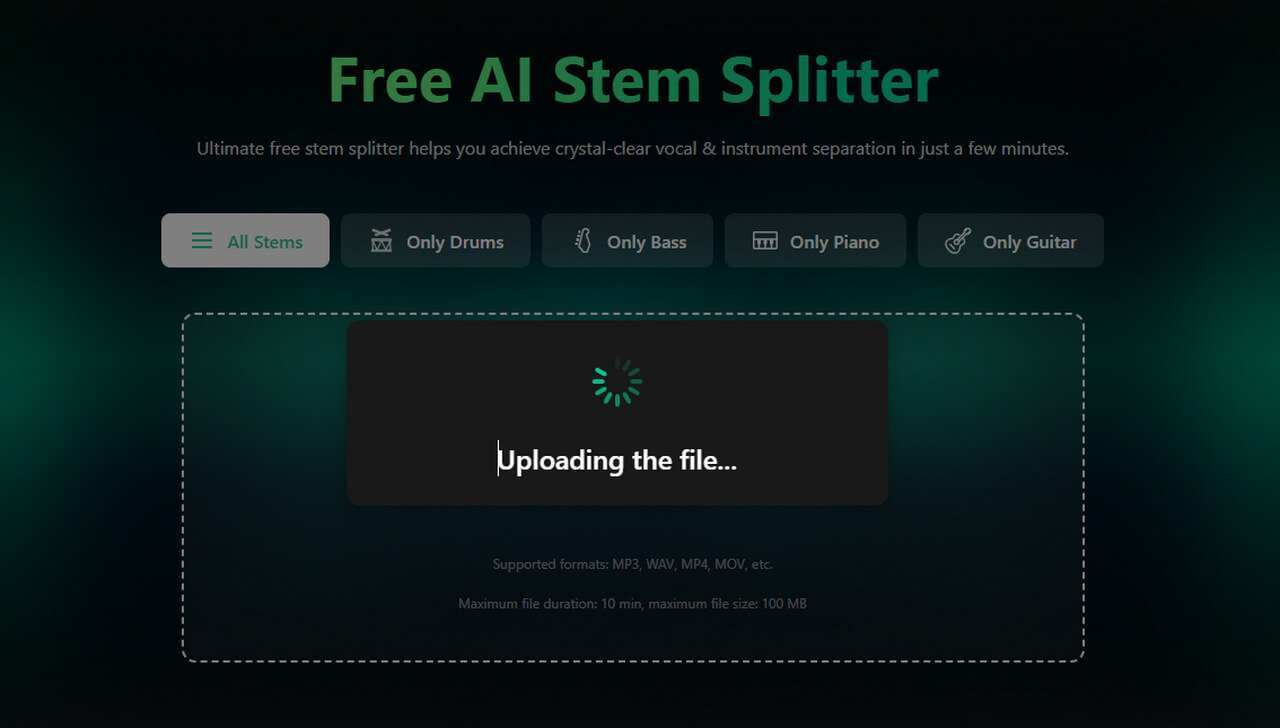
- After uploading your track, Clumi's AI stem splitter analyzes the mix and separates it into individual stems. The processing time may vary depending on the file and its length.
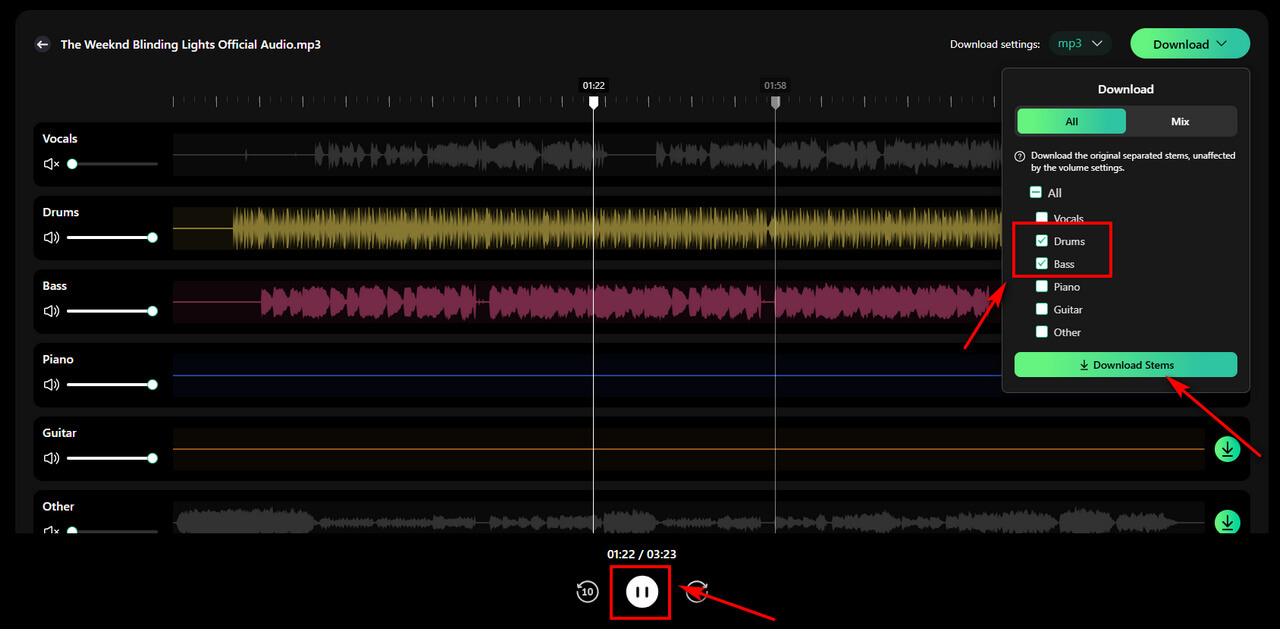
- Once processing is complete, listen to the separated stems individually to check the bass and drum parts. Select the stems you want and download them with one click, then import them into your preferred DAW for further editing and production.
Clumi AI Stem Splitter
Isolate instruments from any song and get clean drum, guitar, piano, bass, and other separated tracks.
Part 3. How to Use Bass and Drum Stems in Your DAW
Once you have isolated the bass and drum stems, you can bring them into your DAW for further editing and production. Working with these elements separately gives you more control over the rhythm section and makes it easier to experiment with the track.
Adjust Levels and Balance
Adjust the volume of the bass and drums independently to hear how they affect the overall balance of the track. You can also use panning and other mixing controls to shape the relationship between the rhythm elements.
Edit and Rearrange Sections
Cut specific sections of the bass or drum stems and rearrange them to create different rhythmic patterns. Repeating or combining selected sections can also help you experiment with new grooves.
Add Your Own Instruments
Use the isolated bass and drums as a foundation for adding new chords, melodies, vocals, or instruments. You can also apply effects such as EQ, compression, or reverb to shape their sound.
Part 4. Tips for Better Bass and Drum Separation
AI stem separation works by analyzing information contained in a finished mix, so the quality of the source recording can affect the result. A few practices can help you get better results.
Start with a High-Quality Source
Whenever possible, use a high-quality audio file rather than a heavily compressed version. A higher-quality source can generally provide better input for the separation process.
Check for Audio Bleed
Bass, kick drums, percussion, and other low-frequency sounds can overlap in a finished mix. After separation, listen carefully for unwanted elements or artifacts in each stem.
Some residual sound is normal because the original recording has already been mixed together.
Use the Stems as Production Material
A separated stem is not necessarily identical to the original studio recording. Treat it as a production resource that you can edit, process, and combine with other elements in your DAW.
Conclusion
When you only have a finished track, you can still work with individual parts of the mix. AI stem separation makes it possible to extract bass and drums as separate tracks for your own production workflow.
If you want to isolate bass and drums for music production, Clumi AI lets you separate them online, select the stems you need, and download them with one click for further editing in your DAW.
Clumi AI Stem Splitter
Isolate instruments from any song and get clean drum, guitar, piano, bass, and other separated tracks.
FAQs
1. How to isolate bass and drums from a song?
You can use an AI stem separator to extract bass and drum stems from a song without requiring the original project files. Some residual sounds or artifacts may remain depending on the source recording.
2. Can I isolate bass and drums without the original stems?
Yes. You can use a finished audio file and let an stem splitter identify and extract the bass and drum elements from the mix.
3. What can I do with isolated bass and drum stems?
You can study bass lines and drum patterns, create loops, experiment with remixes, or use them as a foundation for a new arrangement. The stems can also be imported into a DAW for further editing.
4. Can I use isolated bass and drums in a DAW?
Yes. After downloading the separated stems, you can import them into music production software such as Ableton Live, FL Studio, or Logic Pro for editing and processing.
5. Is AI bass and drum separation accurate?
AI separation can produce useful results, but it may not perfectly reproduce the original studio stems. The quality of the result can vary depending on factors such as the source recording and how closely the instruments overlap in the mix.