How to Remove Bass from a Song: 3 Easy Methods
Mark Jensen | Updated on 2026-11-18
In music, "bass" can refer to low-frequency sounds or bass instruments such as the electric bass guitar and double bass. In this guide, we're focusing on removing the bass instrument from a song rather than simply reducing its low frequencies.
Whether you want to create a bass-free backing track, record a new bassline, practice other instruments, or remix a song, removing the original bass can give you more flexibility. Here are three ways to remove bass from songs while keeping the other instruments intact.
Part 1. Remove Bass from a Song Online with AI
If you want to remove the bass instrument without affecting the rest of a song, an AI Bass Remover is a convenient option. Unlike an equalizer that reduces certain frequency ranges, an AI-powered tool can identify the bass part and separate it from other instruments.
Clumi AI Bass Remover makes it easy to isolate bass tracks from audio & video. With Clumi Pro Separation, you can also separate bass from larger files up to 1000 MB.
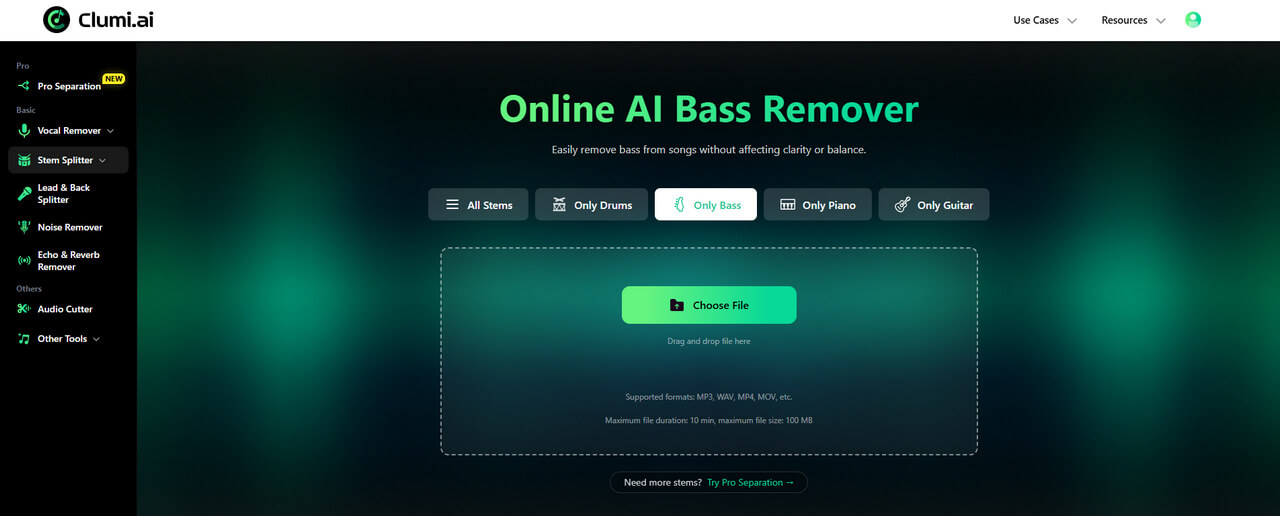
How to remove bass stem from a song?
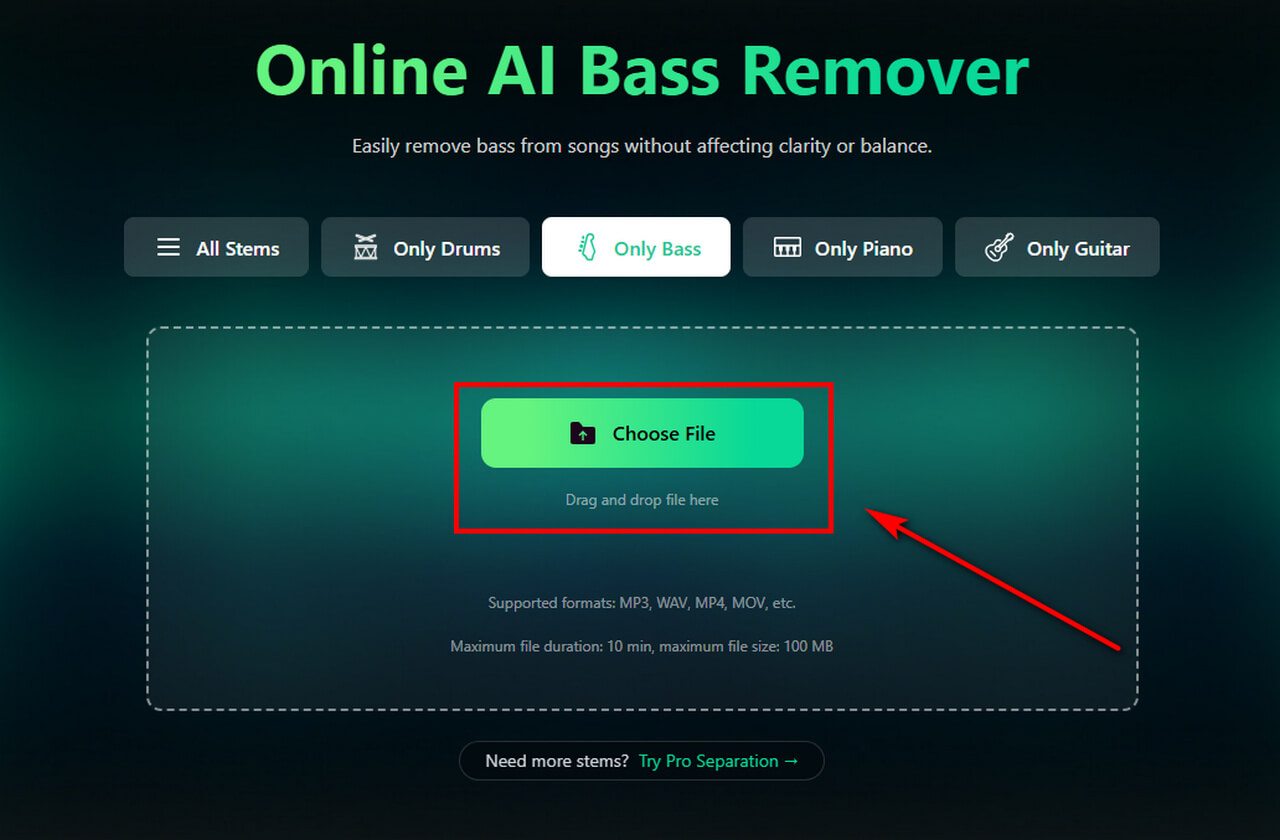
- Choose an audio or video file from your device. Clumi supports formats including MP3, WAV, M4A, MP4, and MOV, so there's no need to convert your file beforehand.
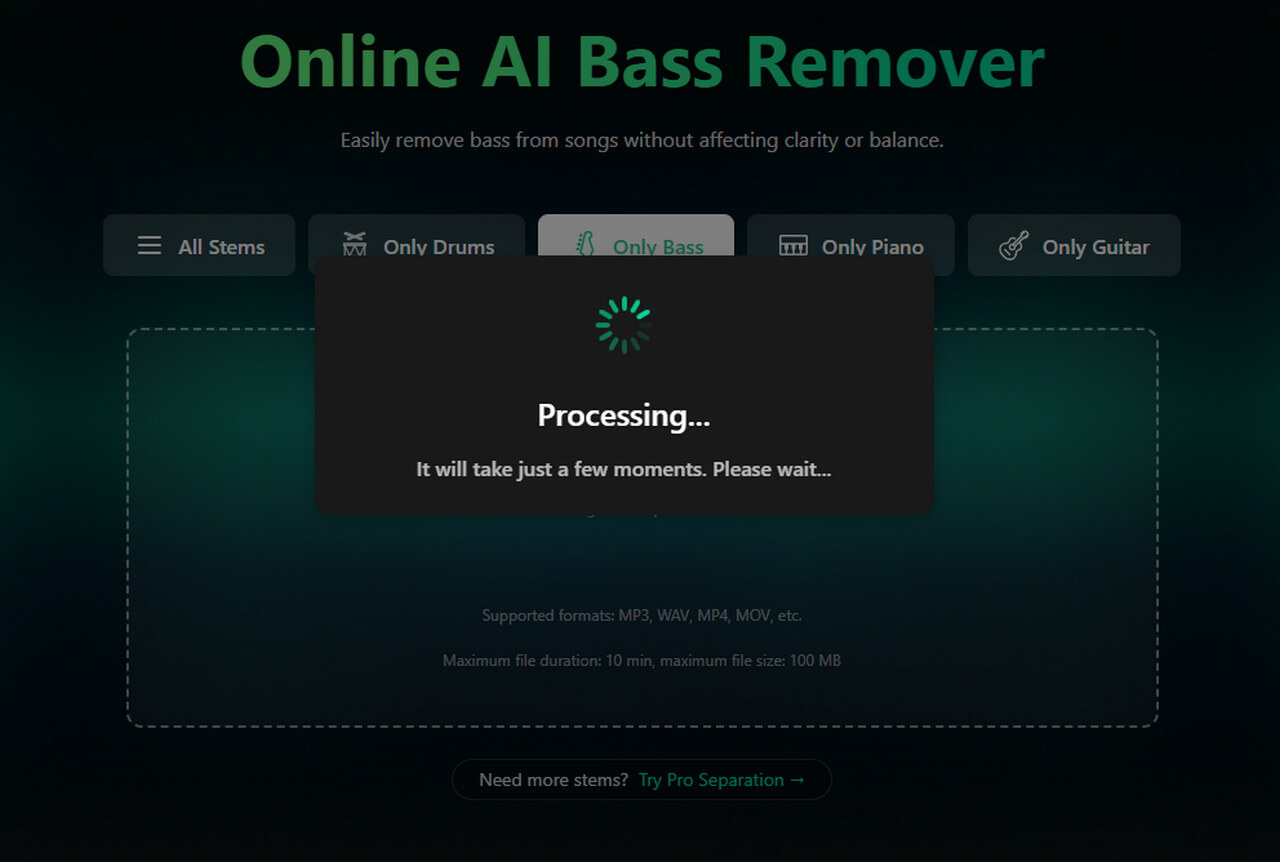
- Once your file is uploaded, Clumi's AI separates the bass from the rest of the music.
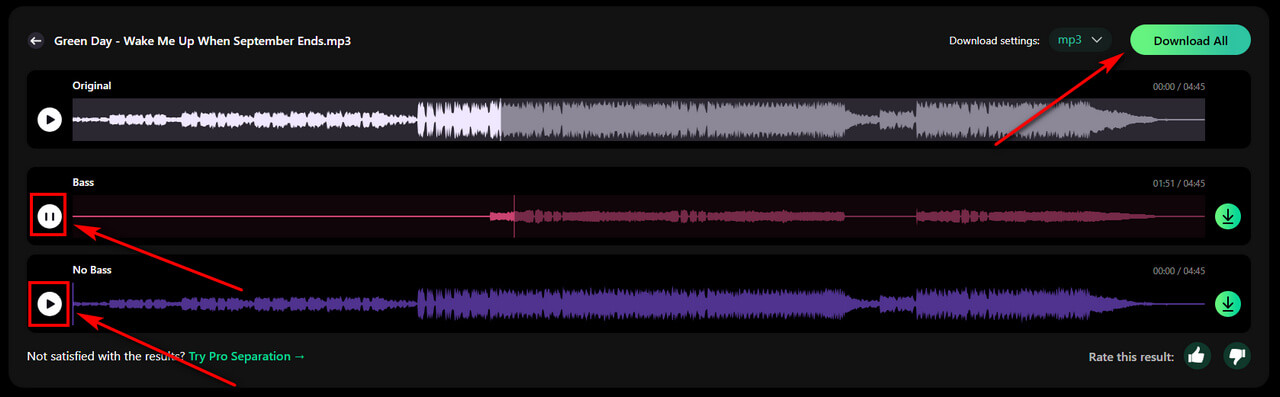
- Click to preview the isolated tracks to check for any remaining bass and make sure the other instruments are preserved. Once you've reviewed the result, download the bass-free track.
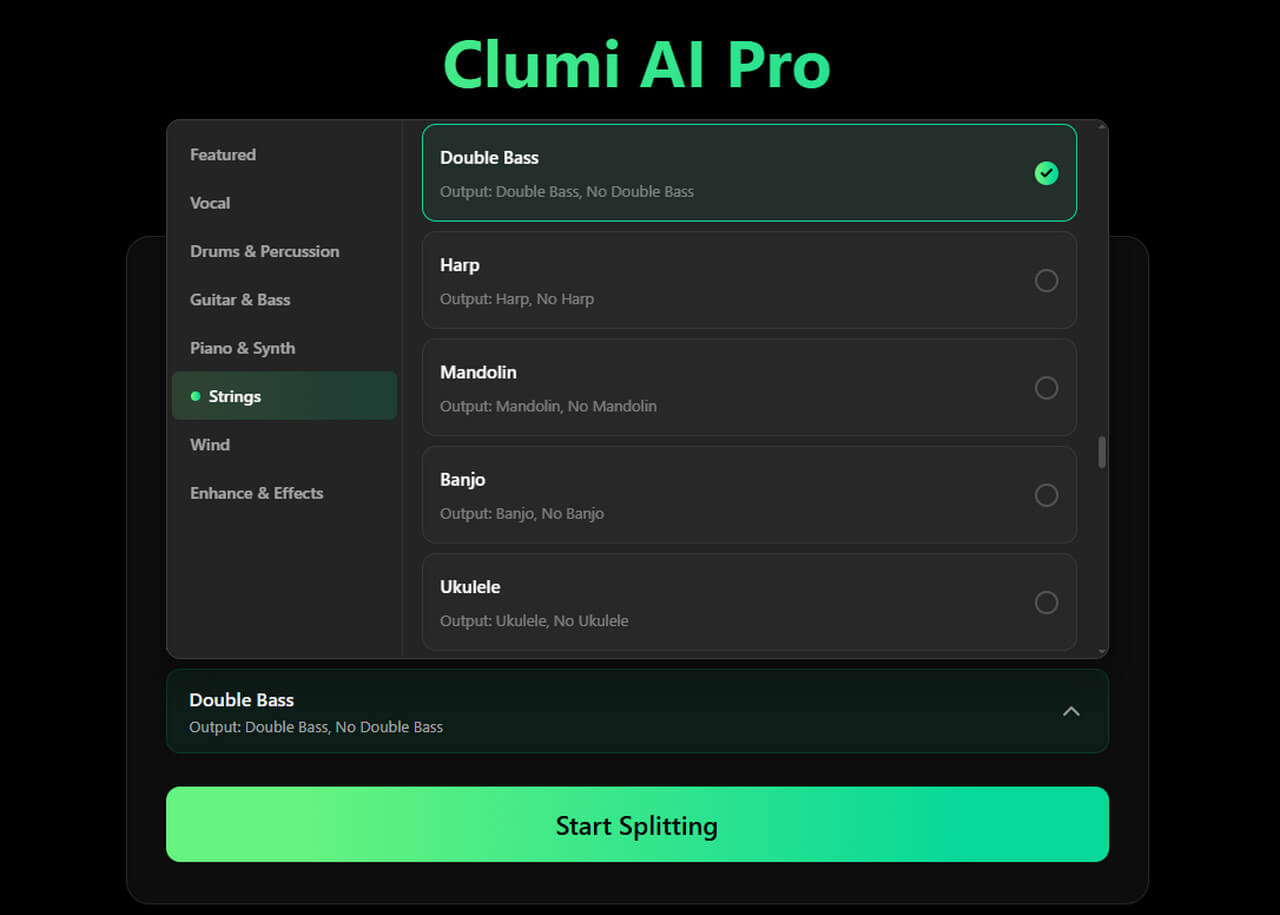
Tips: If you want to extract the double bass from an orchestral recording, try Double Bass Isolator. It lets you isolate the double bass part for music practice, transcription, or arrangement work.
Part 2. Remove Bass with AI Plugins and DAWs
Besides online AI tools, you can also use AI plugins and digital audio workstations (DAWs) to remove bass from a song. These methods may require additional setup and editing, but they offer more control over the separation and editing process.
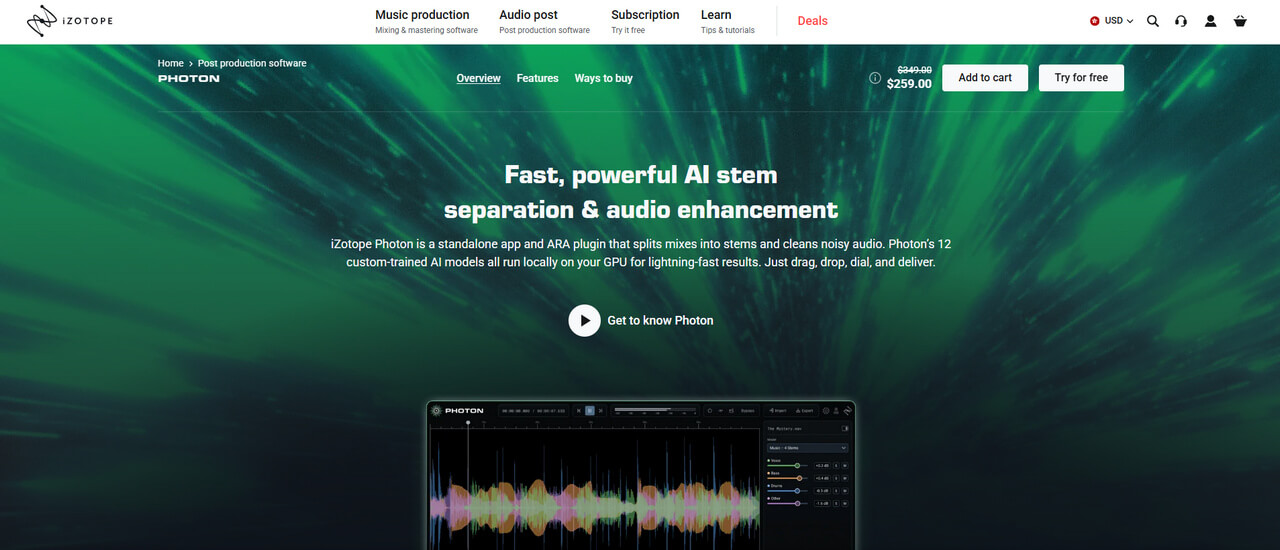
Use an AI Stem Separation Plugin
Some third-party plugins let you separate instruments directly in your DAW. The exact features and supported formats vary by plugin, but the general process is similar:
- Import the song into your DAW.
- Open the AI stem separation plugin.
- Choose the separation mode or instruments you want to extract.
- Start the process and wait for the stems to be generated.
- Mute or remove the Bass stem.
- Export the remaining stems as a new audio file.
Remove Bass Using a DAW
A DAW like Ableton Live or Logic Pro is useful when you want more control over the separated audio. After removing the Bass stem with an online tool or another separation method, import the remaining stems into your DAW.
You can adjust individual instrument levels, add a new bassline, apply effects, or rearrange the tracks to fit your project.
If you only have a mixed audio file, using an AI stem separator before editing in a DAW is usually more practical than trying to remove the bass manually.
Part 3. Tips for Getting Better Bass Separation Results
Removing bass from a mixed recording can be challenging because different instruments may overlap in pitch and timing. These tips can help you get better results.
Start with a High-Quality Audio File
If you have the original WAV file, use it instead of a compressed MP3. A cleaner source gives the separation tool more audio detail to work with.
Check for Bass Bleed in Other Tracks
Removing the Bass stem doesn't always mean every bass sound disappears. Listen to the drum and guitar tracks as well, particularly in sections where the bass and other instruments play at the same time. You may hear some low-end sounds left behind in these tracks.
Preview the Entire Track Before Exporting
Listen to different sections, especially choruses, bass fills, and parts where several instruments play together. This helps you identify any remaining bass sounds before exporting the final version.
Part 4. Need More Precise Instrument Separation?
If you're working with a complex arrangement, you may need to isolate more than the standard stems. In that case, specialized separation options can help you extract individual instruments.
Clumi Pro Separation offers 70+ specialized AI separation models, covering individual instruments and specific audio elements.
For example, you can:
- Separate Specific Instruments: Extract electric guitar, acoustic guitar, piano, synthesizer, and other instrument parts for editing or music practice.
- Isolate Different Vocal Parts: Separate male and female vocals or isolate individual choir parts to focus on specific vocal layers for music practice, remixing, or production.
- Work with Orchestral Recordings: Explore dedicated separation options for violin, viola, cello, and double bass to focus on individual parts in complex arrangements.
- Process Longer Audio & Video: Upload audio and video files up to 60 minutes and 1000 MB, making it easier to work with full-length songs and extended recordings.
Whether you're removing bass, extracting individual instruments, or experimenting with new arrangements, these specialized options give you more ways to work with your audio.
Conclusion
Removing bass from songs can be useful for creating backing tracks, practicing other instruments, or making room for a new bassline. The best method depends on how much control you need. AI bass removers and stem separation plugins can isolate the bass while keeping the other instruments, while EQ in a DAW can reduce low frequencies when you don't need complete removal.
If you want to remove the bass without manually adjusting individual frequencies, an AI-powered tool is a more straightforward option. Try Clumi's AI Bass Remover to separate the bass from your song and keep the rest of the music for your next project.
FAQs About Removing Bass from Songs
What is bass in a song?
In a song, bass can refer to the bass guitar or double bass, which plays low-pitched notes and helps provide the rhythm and harmonic foundation. It can also refer to the low-frequency sounds in a recording or the bass part of an arrangement.
Can I remove bass from a song without removing the drums?
Yes, you can use an online AI bass remover or plugin. Keep the vocal stem and remove the Bass stem from the mix. You can then export the audio with vocals and other instruments intact.
How to remove bass from a song for free?
Step 1. You can upload your track in a free online bass remover.
Step 2. AI will analyze your file and isolate bass stem.
Step 3. Preview the bass and no-bass audio, choose your desired output formats and download them to your device.
Can I remove bass from an MP3 file?
Yes. Clumi bass separator supports MP3 and other common audio and video formats, including WAV, FLAC, M4A, MP4, and MOV. You can upload your music or recording directly without converting the file first.
Why does some bass remain after separation?
Some bass sounds may remain in other stems, especially when they overlap with drums, vocals, or other instruments. This can happen with complex arrangements or lower-quality recordings. Try using a higher-quality audio file or switching to another separation model to see if the result improves.