How to Remove Drums and Percussion from a Song
Mark Jensen | Updated on 2026-10-16
For drummers and music creators, removing or isolating drum tracks makes practicing, remixing, and music production easier. With Clumi AI drum remover, you can remove drums from songs or focus on other instruments.
For more control, Clumi Pro Separation offers a Drum Kit model to split drums into kick, snare, hi-hat, crash, toms, and ride, plus a Percussion model that separates percussion from the rest of the mix. This makes it easier to study rhythms, create samples, and build percussion-free backing tracks.
In this guide, you'll learn how to remove drums and separate percussion with AI.
Part 1. Remove Drums from Song Online with AI
Clumi AI Drum Remover
When you want to remove drums from a song, Clumi AI drum remover makes it easy to separate the drum track from the rest of the music. This AI-powered tool is ideal for drummers, music learners, and creators who want to practice, remix, or create drum-free tracks.
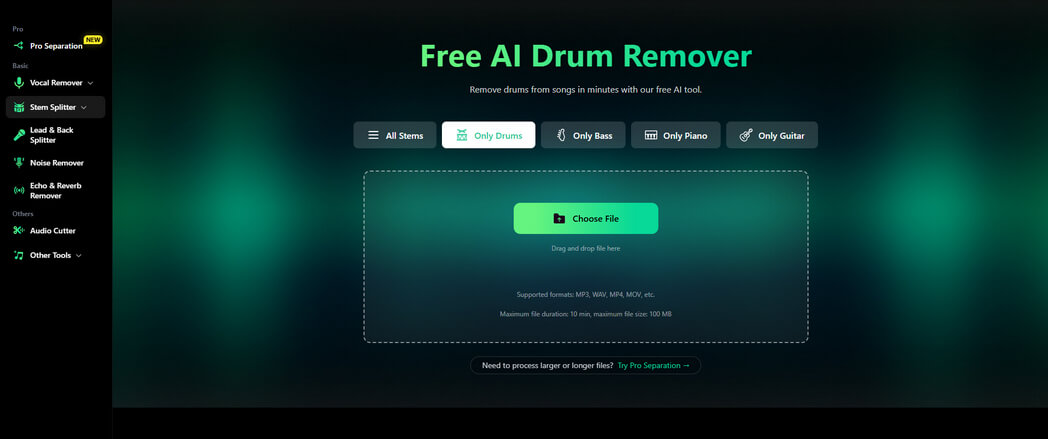
For more detailed drum separation, Clumi Pro Separation takes things a step further. Its Drum Kit model separates a drum track into individual elements, including kick, snare, hi-hat, crash, toms, and ride, giving you more control over drum practice, sampling, and music production.

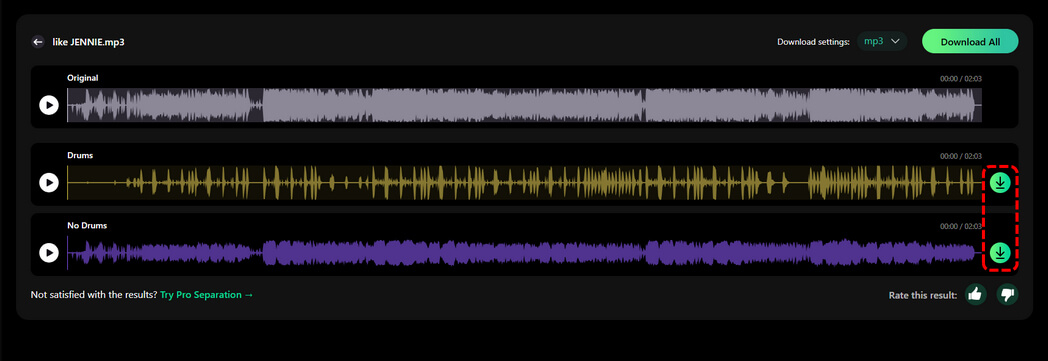
How to remove drums from a song with Clumi AI:
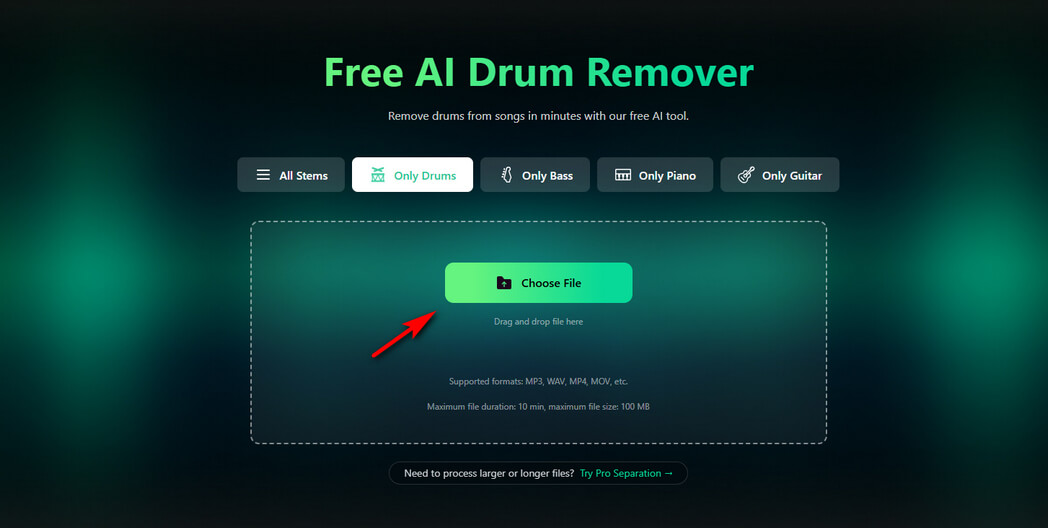
- Open the Clumi Drum Remover and upload the audio or video file you want to edit.
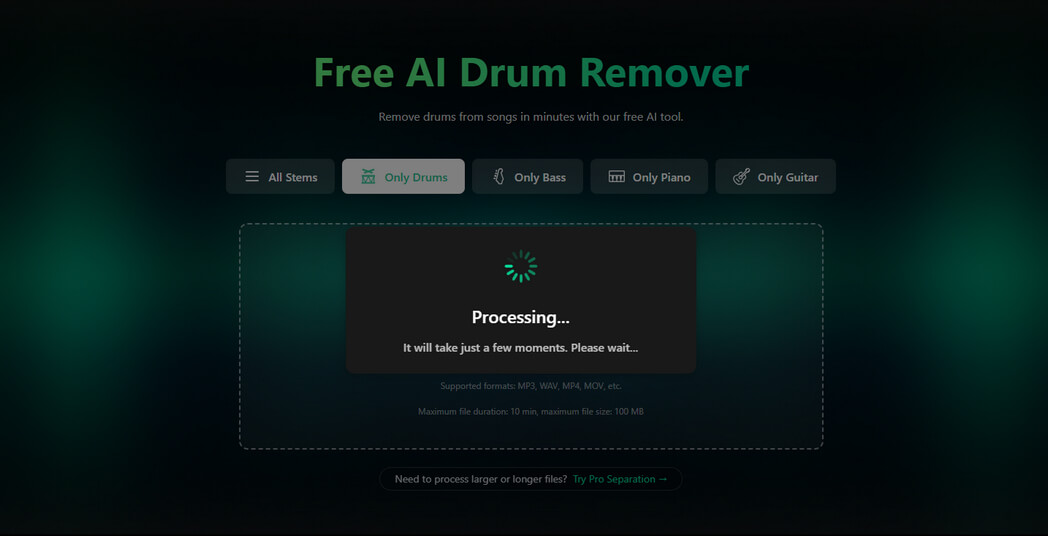
- Let Clumi AI process your file and separate the drum track from the rest of the mix.
- Preview the separated tracks, compare the drum and non-drum audio, and download the result you need for your project.
Part 2. Separate Percussion with Clumi Pro Separation
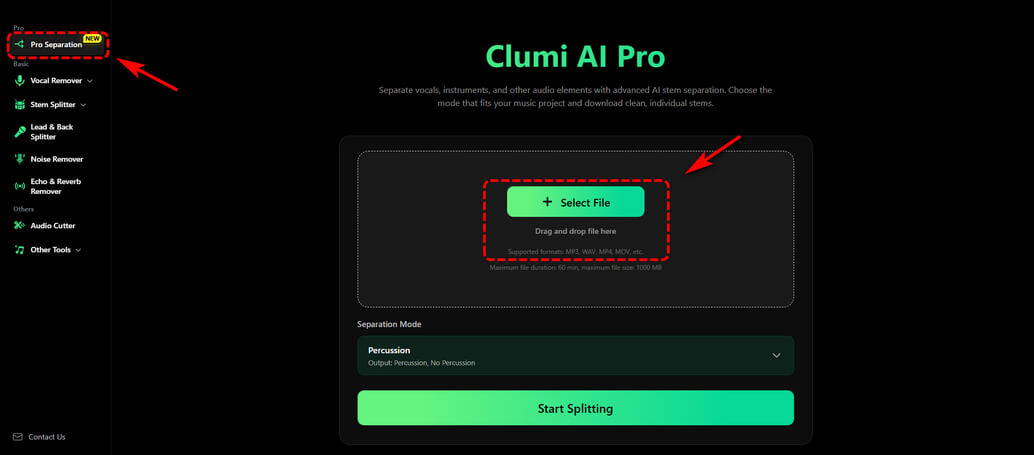
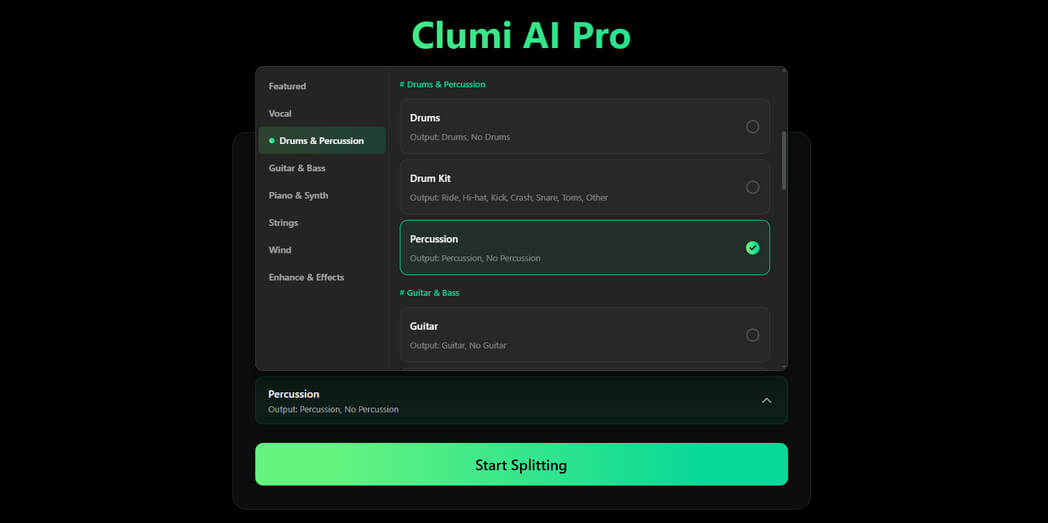
Clumi Pro Separation offers two ways to work with drum and percussion tracks. The Drum Kit model separates drums into kick, snare, hi-hat, crash, toms, and ride, while the Percussion model splits a song into Percussion and No Percussion tracks. Whether you want to study individual drum elements or isolate percussion from a full mix, you can choose the model that fits your project.
- Open Clumi Pro Separation and upload the audio or video file you want to process.
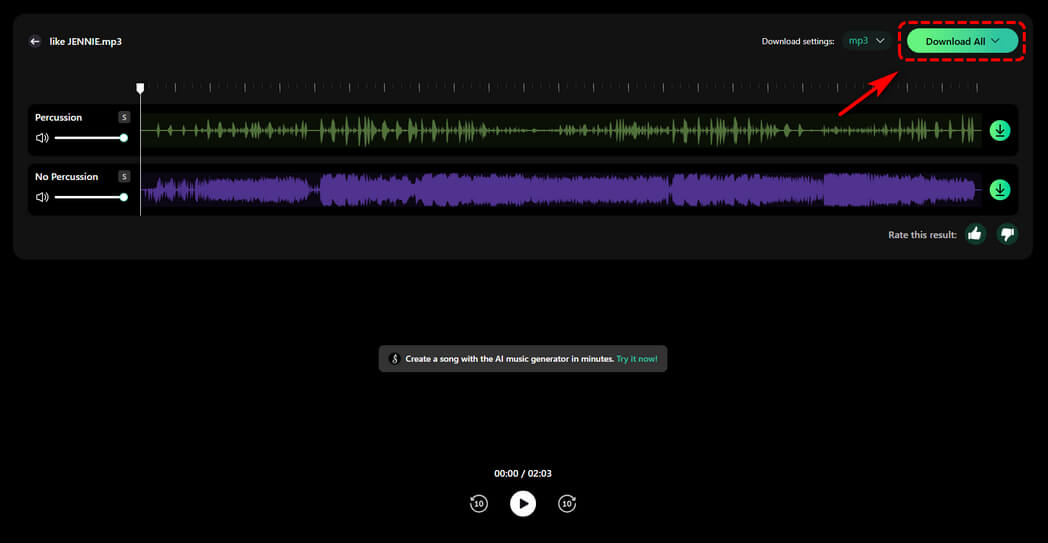
- Choose Percussion to split the mix into Percussion and No Percussion tracks. Start the separation process.
- Preview the results, then download the tracks you need for practice, sampling, remixing, or music production.
Part 3. What Can You Do with Drum & Percussion Separation?
Separating drums and percussion helps you focus on rhythmic layers for practice, beat making, remixing, and music production.
Drum Sampling and Beat Making
Extract kick, snare, and cymbal parts from existing songs to study their tone and rhythmic placement. Use the separated sounds as references when building new beats, layering drum samples, or experimenting with different grooves.
Drum Practice and Transcription
Isolate the drum track to hear the rhythm more clearly, then use AI drum separation to split the kit. Focus on kick patterns, snare accents, hi-hat rhythms, and tom fills to study how a drummer builds a groove.
Remixing and Arrangement
Remove the original drum track or work with individual kit elements to reshape a song's rhythm. Try new drum patterns, adjust the balance between rhythmic layers, or prepare an alternative arrangement for a remix.
Percussion Analysis and Groove Study
Separate percussion from the main mix to focus on shakers, hand drums, and other rhythmic textures. Study how percussion interacts with the drum kit and other instruments, or use the isolated track as a reference for your own arrangement.
Music Production and Mixing
Bring separated drum and percussion tracks into your DAW for further editing. Use them to compare rhythmic layers, experiment with processing, or refine an arrangement without starting from the original mix alone.
Conclusion
Removing drums and separating percussion can make music practice, sampling, remixing, and production more flexible. With Clumi AI Drum Remover, you can remove drums from songs or video files, while Clumi Pro Separation lets you isolate percussion or split a drum kit into individual elements such as kick, snare, hi-hat, and toms.
Whether you want to practice along with a drum-free track, study a specific rhythm, or build a new arrangement, these AI tools make it easier to focus on the sounds you need. Upload your audio or video and start separating drums and percussion with Clumi.
Clumi AI Online Drum Remover
Remove drums from song or other music files you like with one click.
FAQs
1. What's the difference between drums, drum kit, and percussion?
Drums generally refers to the rhythmic drum track in a song. Drum Kit refers to the individual components of a drum set, such as kick, snare, hi-hat, crash, toms, and ride. Percussion includes other rhythmic sounds and instruments that help shape a song's groove.
2. Can I separate kick and snare from a full song?
Yes. Clumi Pro Separation can split a song into individual drum tracks, including kick and snare, making it easier to practice, sample, or remix. Results may vary depending on the original mix.
3. What is percussion separation used for?
Percussion separation helps isolate rhythmic elements from the rest of a song. With Clumi Pro Separation's Percussion model, you can obtain Percussion and No Percussion tracks to study rhythmic layers, prepare remixes, or experiment with different arrangements.
4. Can I use drum and percussion separation on video files?
Yes. Clumi AI Drum Remover supports video uploads, allowing you to separate drum from the audio in your video.