How to Remove Guitar from Song & Isolate Stems
Mark Jensen | Updated on 2026-10-16
Want to remove guitar from a song, practice a solo, or use a riff in your own track? Clumi AI helps you separate guitar parts from the rest of the music, so you can listen to specific parts without other instruments getting in the way. You can remove guitar from a full mix or isolate individual guitar parts for practice, remixing, and music production.
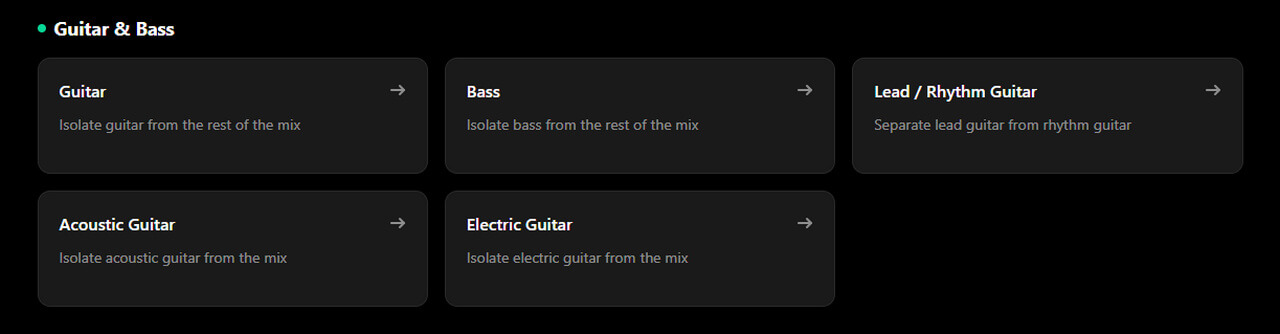
Clumi AI also offers specialized tools for acoustic guitar, electric guitar, lead and rhythm guitar, and bass, making it easier to choose the right separation option for your needs.
Part 1. Explore Guitar Separation with Clumi AI
Clumi AI offers several ways to work with guitar parts, whether you want to remove them from a full mix or extract specific kinds of guitar for practice and production. You can choose a tool based on the type of guitar you want to isolate or remove, from general guitar parts to specific acoustic, electric, lead, or rhythm guitar parts.
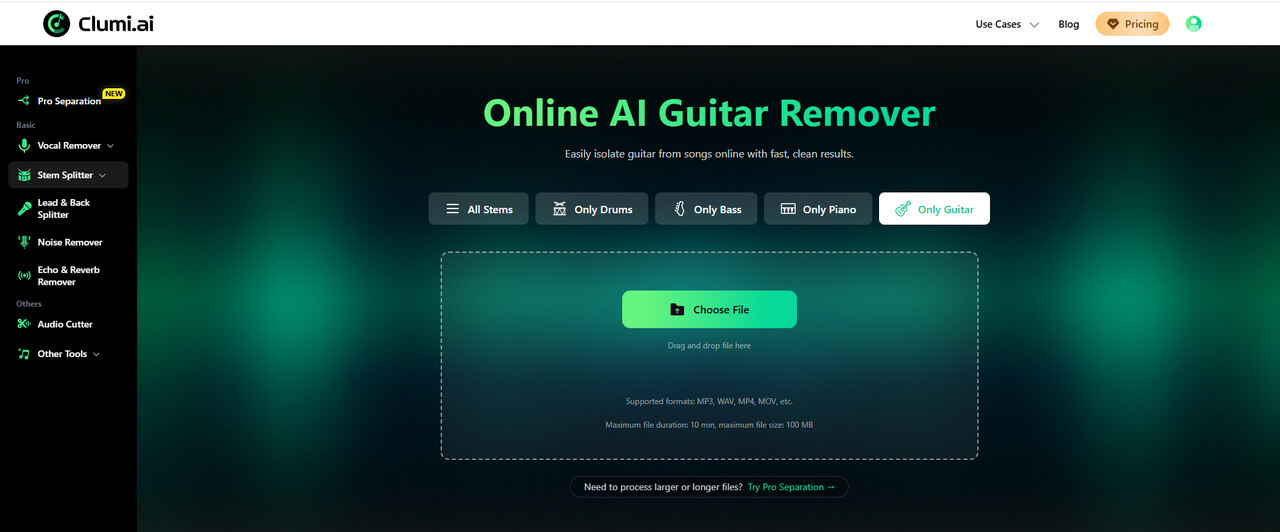
Here's an overview of the available options:
- Guitar Remover: Separates guitar from the rest of a song, providing Guitar and No Guitar outputs.
- Acoustic Guitar: Isolates acoustic guitar parts or produces a version without them.
- Electric Guitar: Separates electric guitar parts, making it easier to focus on their role in a mix.
- Lead / Rhythm Guitar: Helps distinguish lead guitar parts from rhythm guitar parts for more focused practice and editing.
- Bass Remover: Provides Bass and No Bass outputs for working with low-end instrument parts.
A guitarist learning a folk song may want to focus on acoustic strumming, while someone studying a solo may want to isolate the lead guitar part. Music producers can also use isolated stems to experiment with arrangements, adjust instrument levels, or prepare tracks for further editing.
If you need to work with more specific instrument parts, explore Clumi AI Pro Separation for its advanced separation options.
Clumi AI Pro Separation
Choose Advanced Separation for more detailed isolation of guitar, drum kit, synth, wind instruments, and more.
Part 2. How to Remove Guitar from a Song Online
If you want to remove guitar from a song without manually editing individual notes, Clumi AI guitar remover is a straightforward place to start.
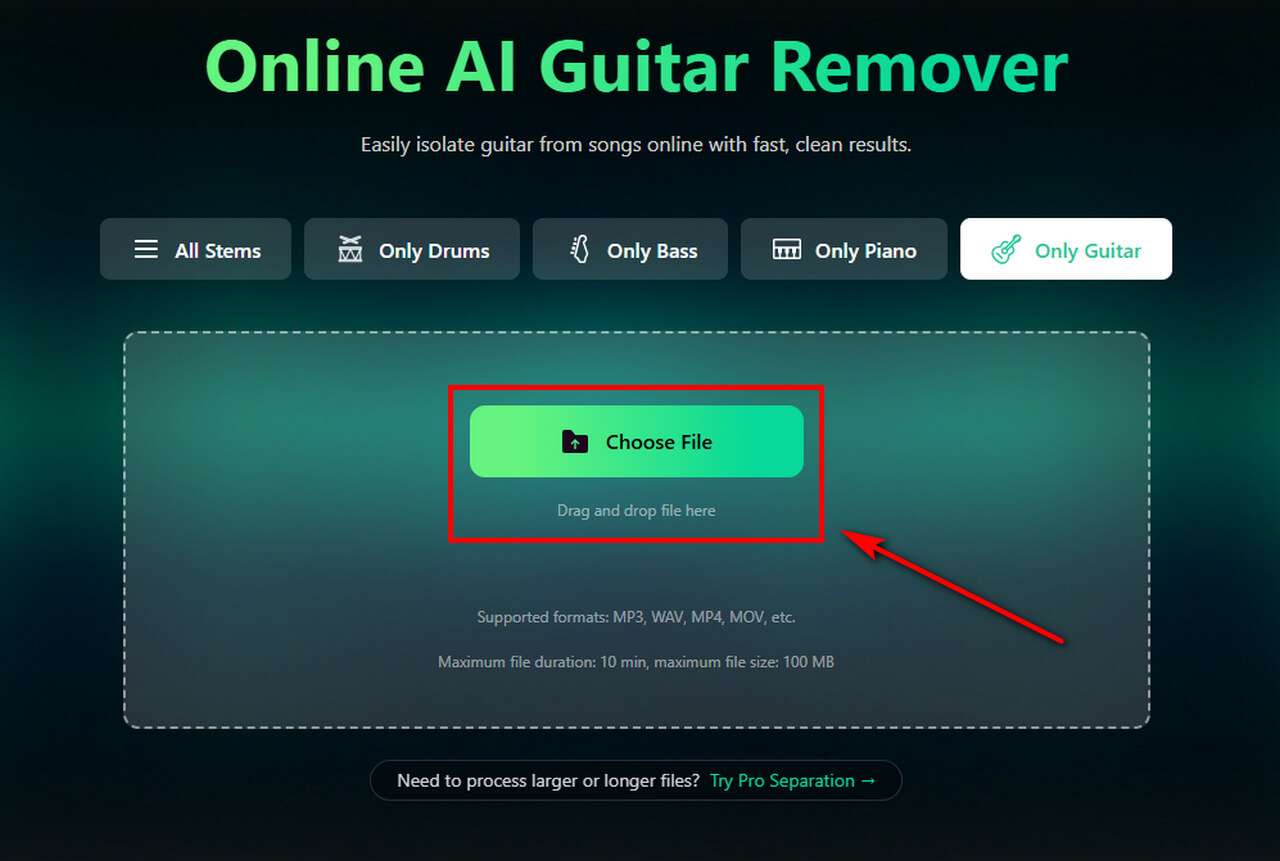
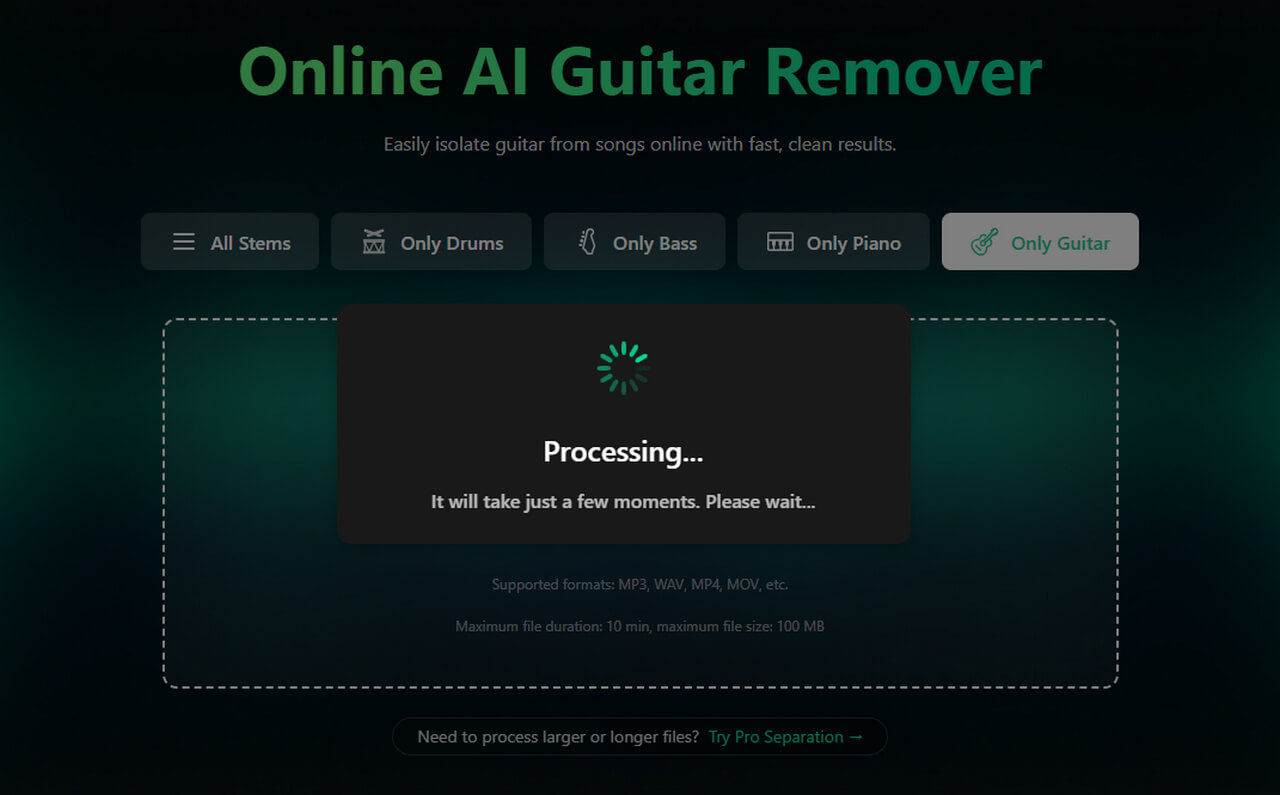
- Open the Clumi AI guitar remover and upload the audio file you want to process.
- Wait for AI to analyze your audio and create a guitar-free practice track.
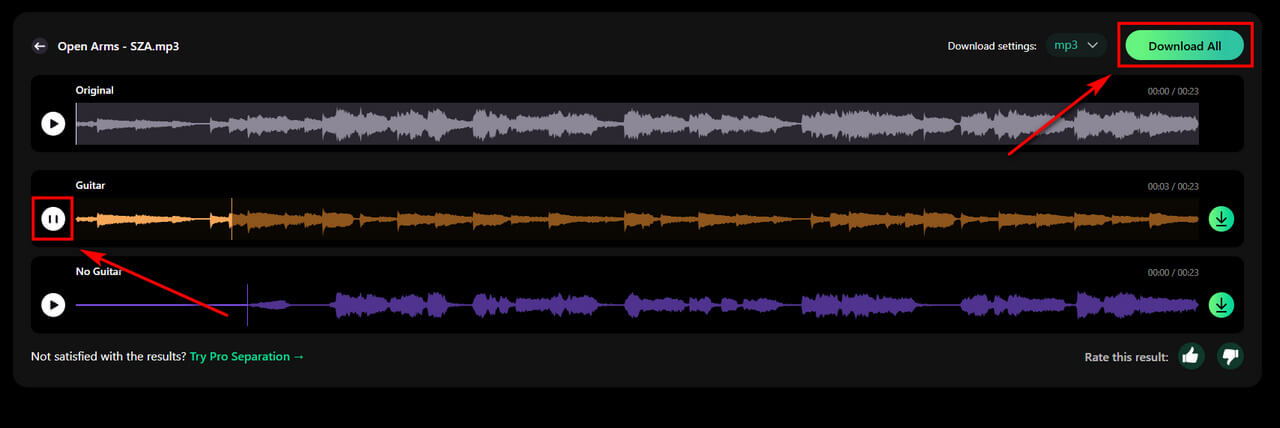
- Listen to the output to check whether it suits your needs, then download the track for practice, mixing, or further editing.
For example, if you're learning a keyboard arrangement and the original guitar accompaniment makes it harder to hear the piano, you can use the track as the starting point for creating a version with less guitar.
Part 3. How to Identify Different Guitar and Bass Parts
Not sure which guitar separation tool to use? Start by identifying the sound you want to isolate. Acoustic and electric guitar describe different instrument types, while lead and rhythm guitar refer to their roles in an arrangement. Bass is a separate instrument that occupies a lower register.
| Instrument / Part | How to Recognize It | Common Role in a Song |
|---|---|---|
| Acoustic Guitar | A natural, resonant sound, often with noticeable string plucks or strumming | Folk, singer-songwriter arrangements, and acoustic accompaniment |
| Electric Guitar | An amplified sound that can range from clean and bright to distorted and powerful | Riffs, solos, and rock or pop accompaniment |
| Lead Guitar | Often plays prominent melodies, solos, or short musical phrases that stand out from the accompaniment | Carries melodic lines and hooks |
| Rhythm Guitar | Often plays repeated chords or rhythmic patterns that support the rest of the band | Provides harmonic and rhythmic backing |
| Bass | A low-pitched sound that supports the harmony and connects closely with the drums | Establishes the low end and groove |
Keep in mind that these categories can overlap. For example, an electric guitar can play either lead or rhythm parts, while an acoustic guitar can also carry a melody. If you're unsure which part you're hearing, listen for its tone, pitch range, and role in the arrangement before choosing a separation tool in Clumi AI.
Part 4. How to Separate Different Types of Guitar
The standard Guitar Remover is useful when you want to isolate or remove guitar parts from a song. However, if a track contains multiple types of guitar and you want to focus on a specific one, you may need a more specialized separation model.
To show you how it works, let's use the electric guitar extractor as an example and walk through the steps to separate electric guitar parts from a song.
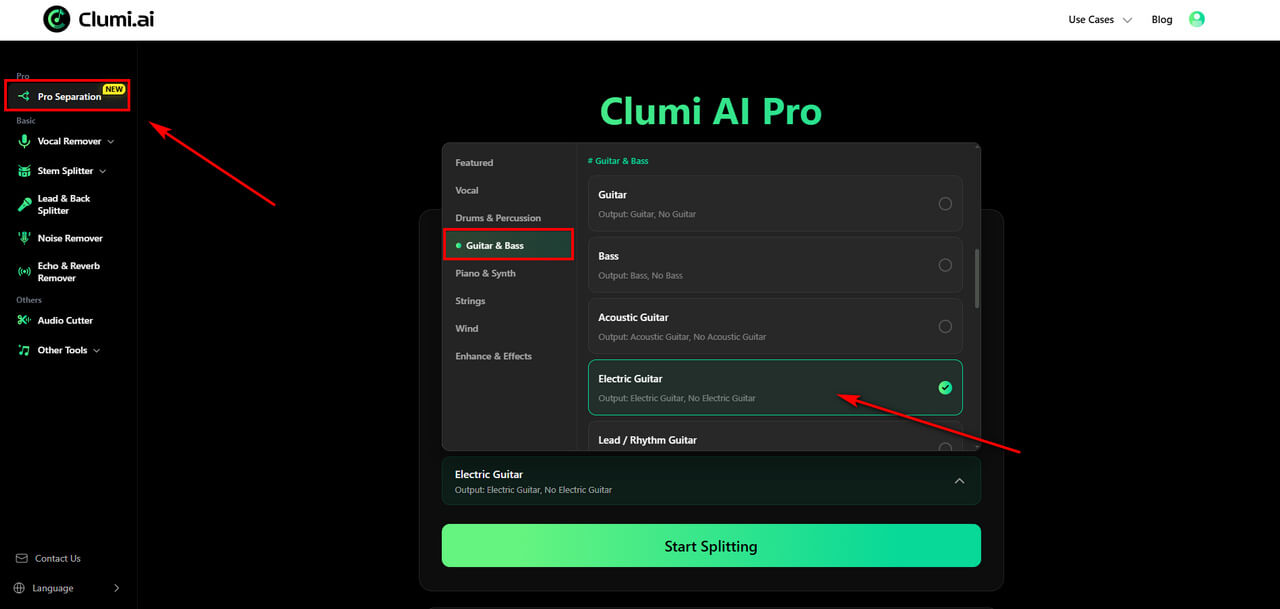
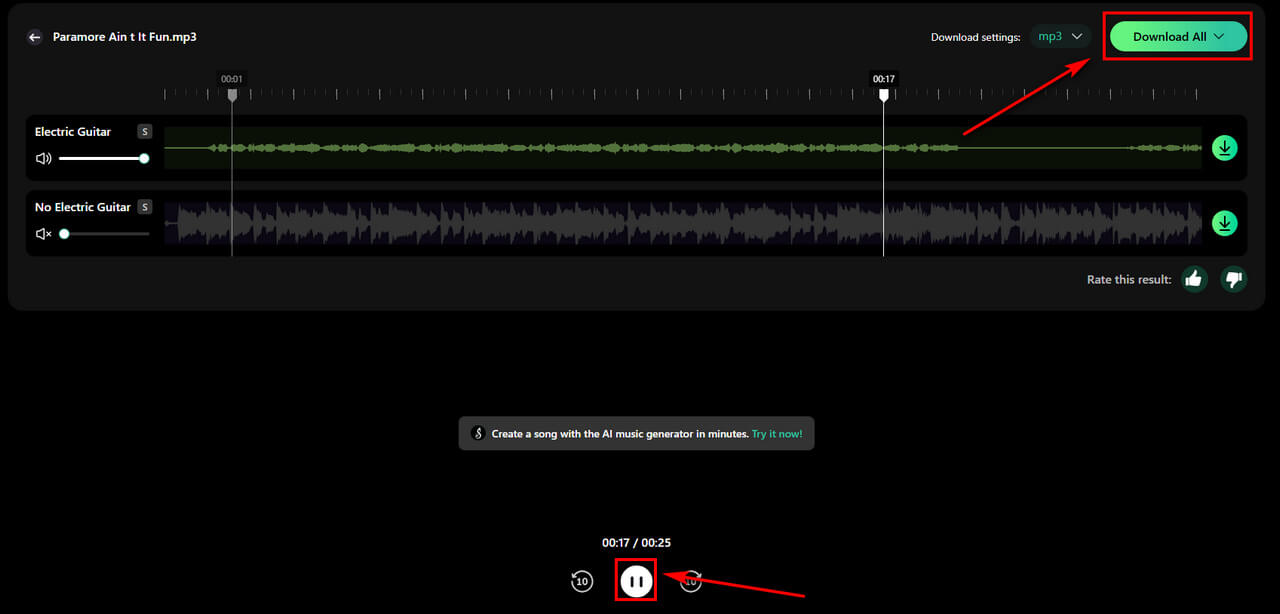
- Open Clumi AI Pro Separation and select the Electric Guitar tool.
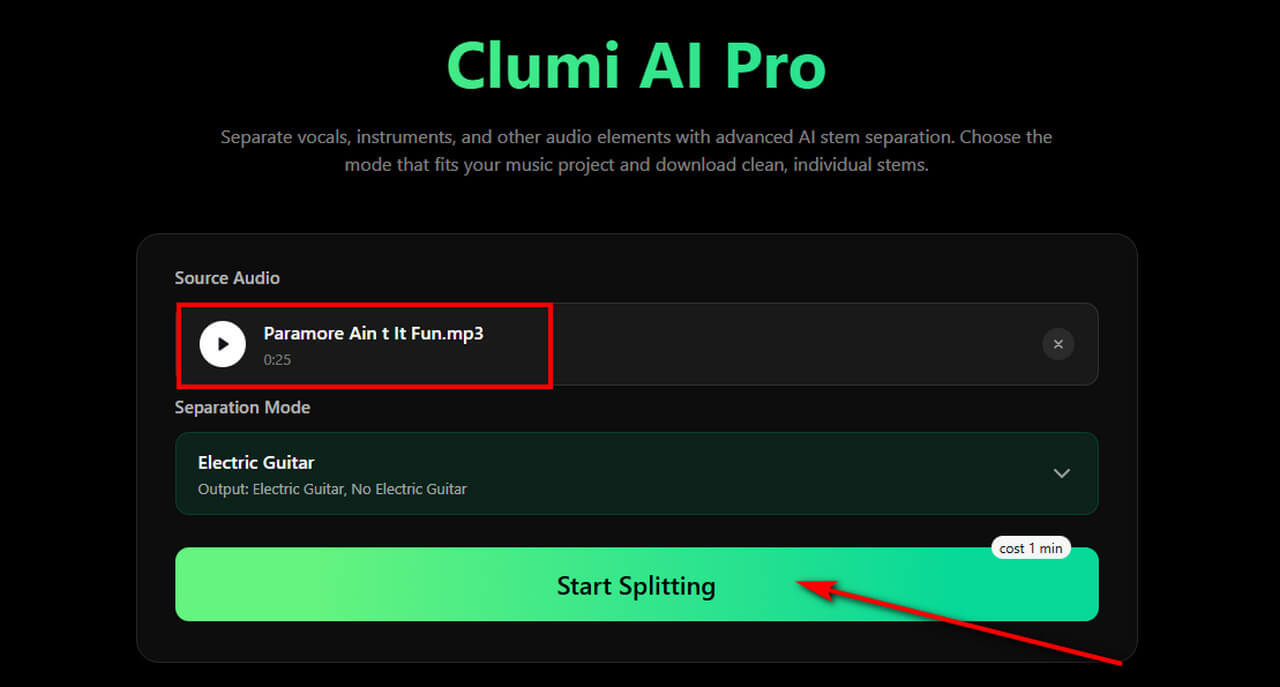
- Upload the song containing the guitar part you want to remove or isolate, then click Start Splitting to begin processing.
- Once processing is complete, preview the output audio to check whether it meets your needs. Then download the track for practice, mixing, or further editing.
The other specialized guitar tools follow a similar workflow. Select the appropriate option based on the guitar part you want to work with.
Part 5. What Can You Do with Isolated Guitar Stems?
Removing or isolating guitar is not just about taking an instrument out of a song. The resulting tracks can also help you approach music from a different perspective.
Practice Guitar with Your Favorite Songs
Learning a song by ear can be difficult when several instruments play at once. Isolating the guitar part gives you a clearer way to study the original performance, including chord changes, melodic phrases, picking patterns, and rhythmic details. You can listen for chord changes, melodic phrases, picking patterns, and rhythmic details, then practice alongside the track.
Remix and Rearrange Music
Guitar stems give you more flexibility when arranging or remixing a track. You can adjust the level of a guitar part, experiment with how it fits into a new arrangement, or use the isolated audio as a reference when recording your own version.
For projects that require more than guitar separation, Clumi's other AI stem separation tools can help you explore additional instrument and vocal separation options.
Prepare Tracks for Rehearsals
When preparing for a band rehearsal, isolating a guitar part can help you learn your own part more closely, while removing it can make the remaining instruments easier to hear. This is useful when you need to study the arrangement or practice alongside the original recording.
Whatever your goal, it's worth listening to the separated audio before using it in a finished project. Complex arrangements and overlapping frequencies can affect how cleanly individual parts are separated.
Conclusion
Whether you want to remove guitar from a song, isolate acoustic or electric guitar, or separate lead and rhythm guitar parts, choosing the right separation tool can make your workflow easier.
Clumi AI offers both standard guitar removal and specialized separation options to help you work with different guitar parts. Upload your track and explore the tools to find the one that best fits your music project.
Clumi AI Guitar Remover
Remove or isolate guitar from any song online for practice, remixing, and music production.
FAQs
Can I remove guitar from a song for free?
You can try Clumi guitar remover for free. Upload your audio and let AI separate the guitar from the rest of the music. Preview the result and download the track for your workflow.
How to remove guitar from a song online?
Step 1. Open Clumi AI guitar remover and upload your song.
Step 2. Start analyzing your music.
Step 3. Preview and download the result for practice or editing.
What's an electric guitar?
An electric guitar is a stringed instrument that uses pickups to convert string vibrations into electrical signals, which are then amplified to produce sound. It is commonly used for lead melodies, riffs, and rhythm parts in genres such as rock, pop, and jazz.
Can I extract electric guitar individually?
Yes. Clumi AI offers a music tool that helps you separate electric guitar in one click. They are useful when you want to focus on a particular guitar sound rather than the general guitar stem.