How to Remove Vocals From a Song: 4 Easy Methods
Mark Jensen | Updated on 2026-09-09
Whether you want to make a karaoke track, practice an instrument, create a remix, or isolate vocals for editing, online AI vocal removers make the process much easier than it used to be.
AI has made vocal removal much easier than before. Most online tools can separate vocals from instrumentals automatically, although the quality will vary depending on the original recording.
In this guide, we'll walk you through four popular tools to remove vocals from a song, explain how each one works, and compare their features so you can choose the best option for your needs.
Part 1. Why Remove Vocals From a Song?
Removing vocals from a song lets you create instrumental tracks for karaoke, music practice, remixing, or content creation. Thanks to AI-powered source separation, anyone can create clean instrumental tracks without using professional audio editing software.
Part 2. 4 Easy Ways to Remove Vocals From a Song
Clumi AI Vocal Remover
Clumi AI vocal remover helps you separate vocals and instrumentals without installing any software. Beyond vocal removal, it also supports multi-stem separation, allowing you to isolate drums, bass, guitar, piano, and other instruments. Since it works with both audio and video files, it's a practical choice for music production, karaoke, and content creation.
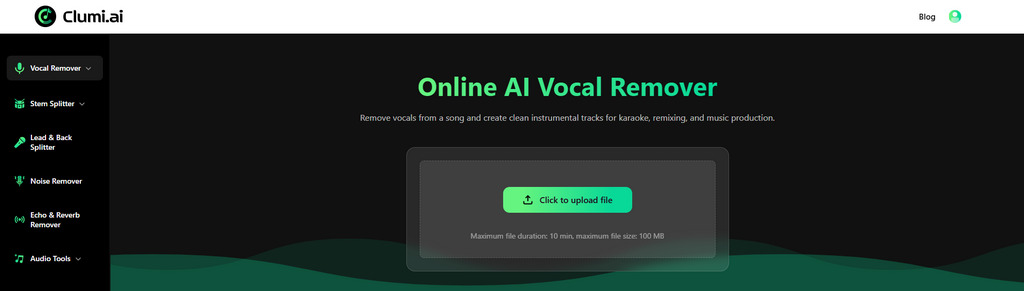
How to remove vocals from a song with Clumi AI?
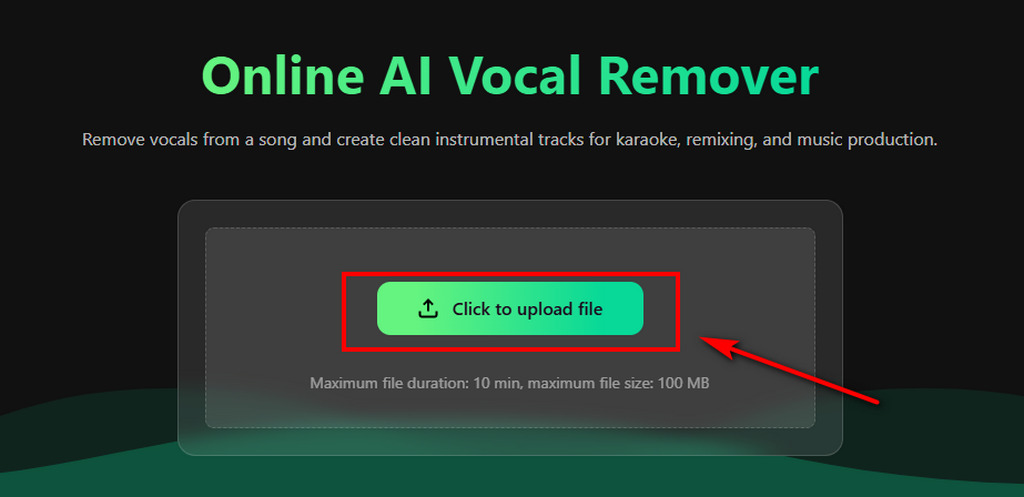
- Open Clumi AI vocal remover and upload your audio or video file.
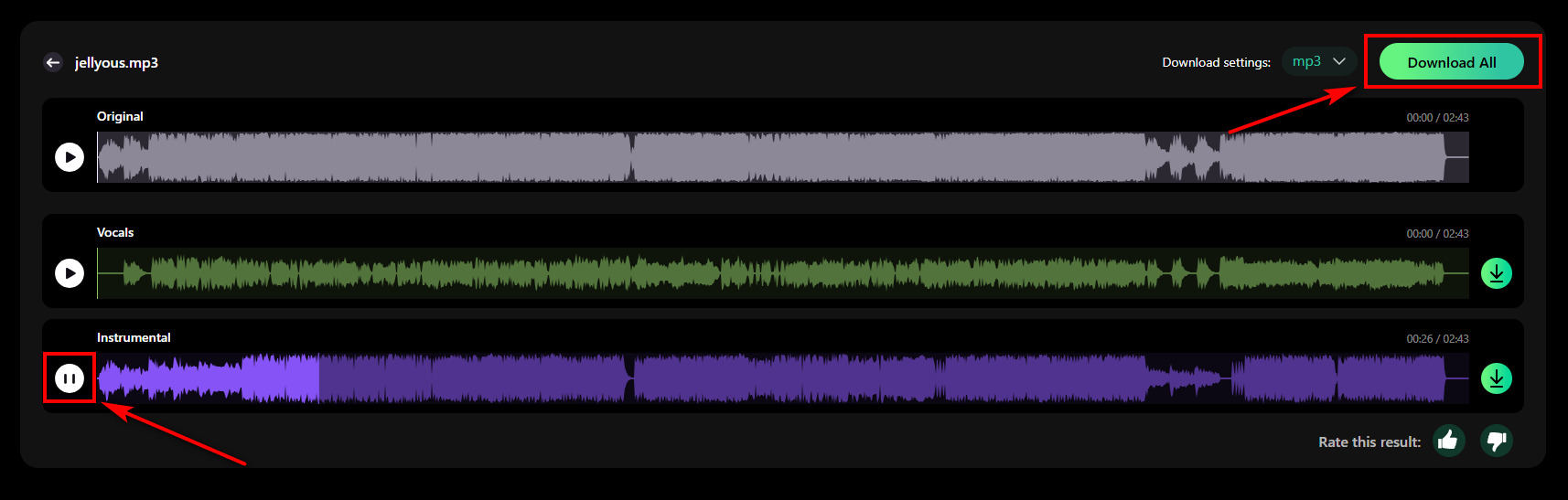
- Once your file is uploaded, Clumi automatically analyzes the audio and separates the vocals from the instrumental track.
- Listen to both the vocal and instrumental tracks to check the results, then download the version you need.
Clumi AI Vocal Remover
Remove vocals from songs for karaoke, remixing, music production, and more.
LALAL.AI
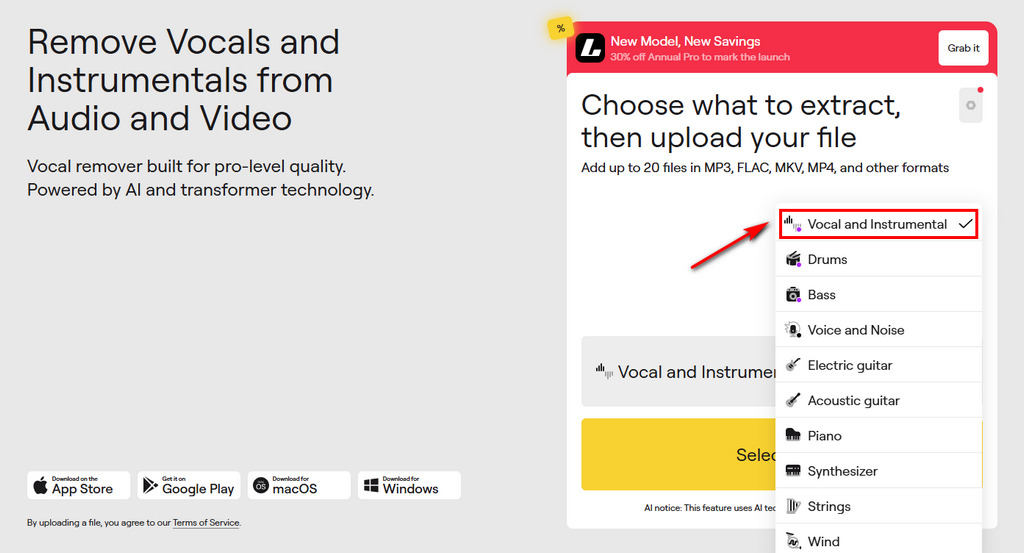
LALAL.AI is an AI audio separation platform that supports vocal removal as well as multiple stem separation. Besides removing vocals from a song, it lets you isolate multiple instruments by choosing different AI models, making it popular among DJs, producers, and musicians.
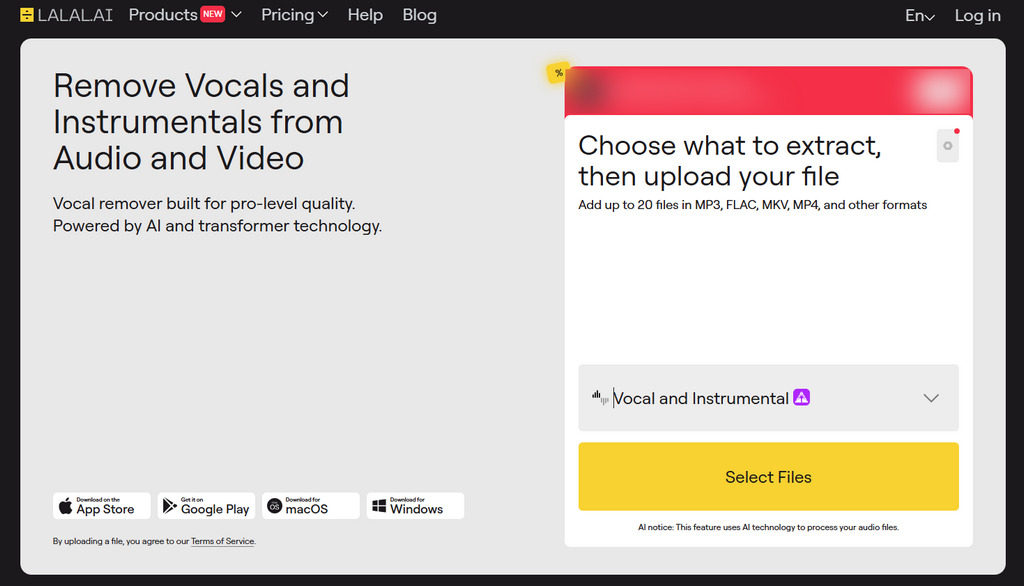
How to separate vocals from music with AI?
- Open the LALAL.AI website and select the Vocal & Instrumental model.
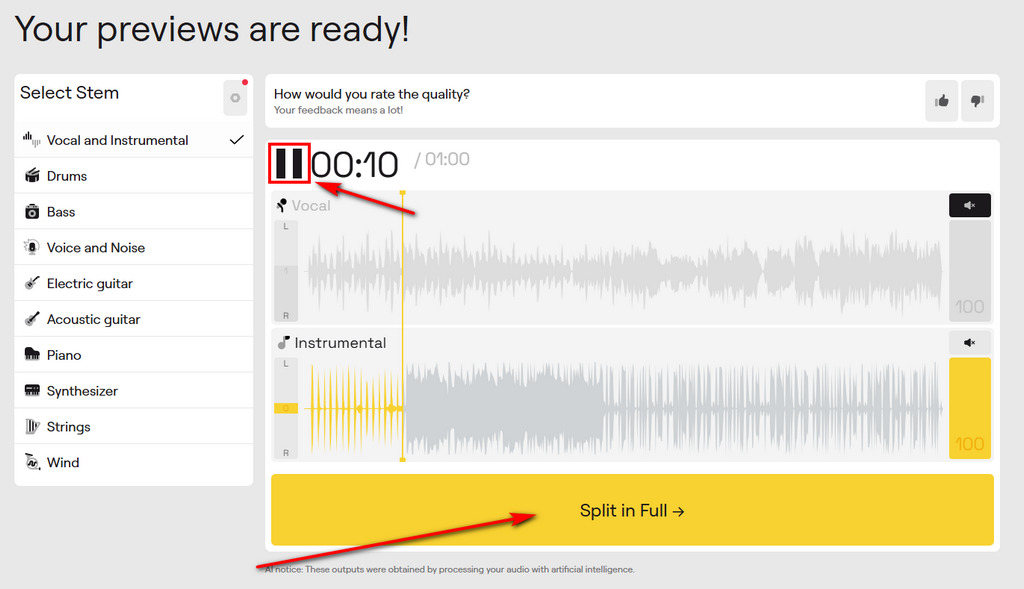
- The AI analyzes your music and separates the vocals from the instrumental track automatically.
- Once the file has been processed, you can preview up to one minute of the separated audio. To download the full track, click "Split in Full" to sign in and purchase a plan.
X-Minus
X-Minus is an online vocal remover designed for quickly creating karaoke versions of songs. The interface is simple and beginner-friendly, allowing users to upload a file, process it online, and download the separated tracks without installing additional software.
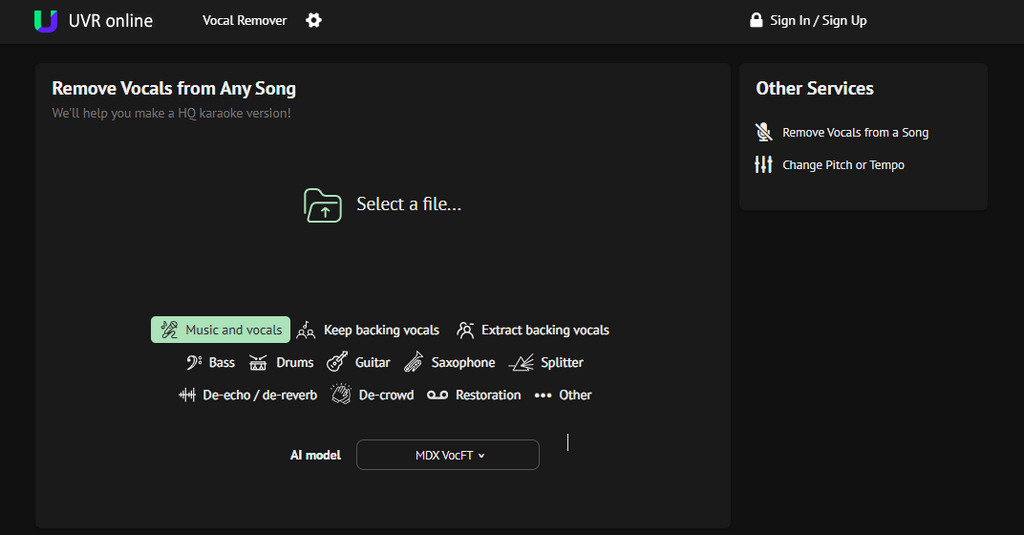
How to isolate vocals from a song with X Minus?
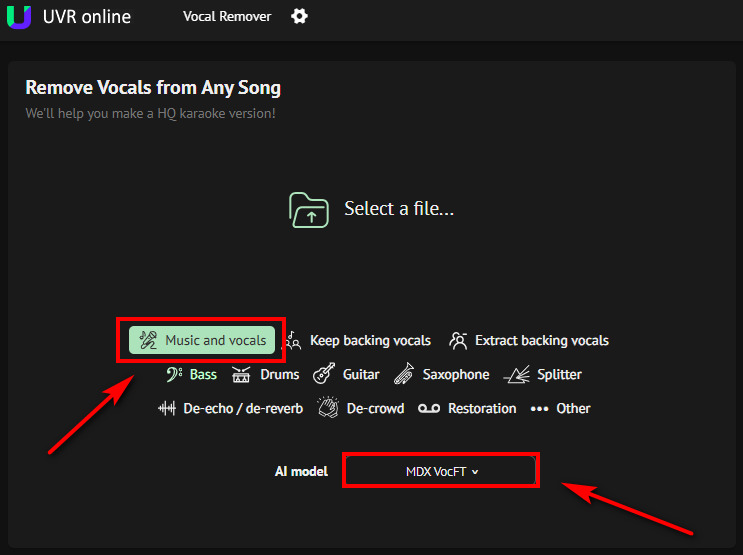
- Select the "Music and vocals" feature, then choose your preferred AI model.
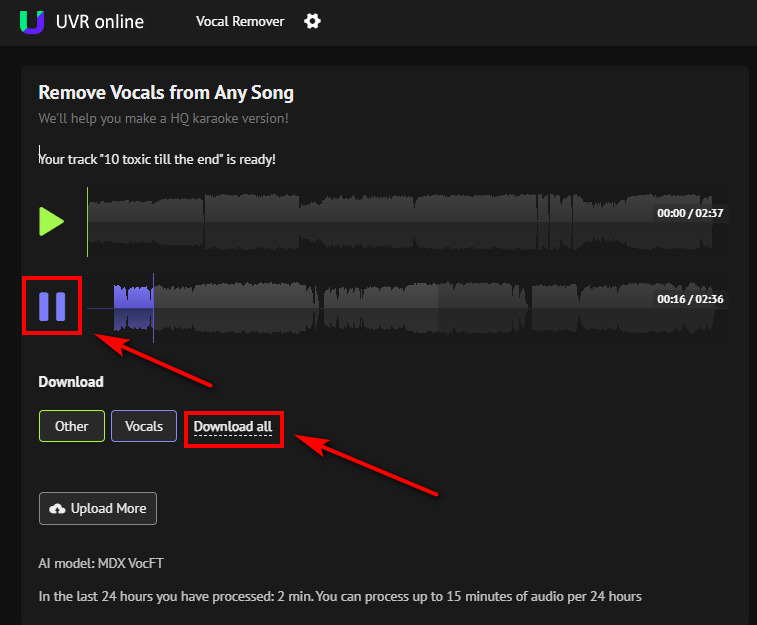
- Wait while the AI processes your file and creates separate vocal and instrumental tracks.
- Preview the processed audio. Download either the isolated vocals or the instrumental track.
VocalRemover.org
VocalRemover.org is a beginner-friendly online tool that makes it easy to remove vocals from a song. Its simple interface lets you upload a file, separate the vocals from the instrumental, and download the results without installing any software.
How to remove background music with AI?
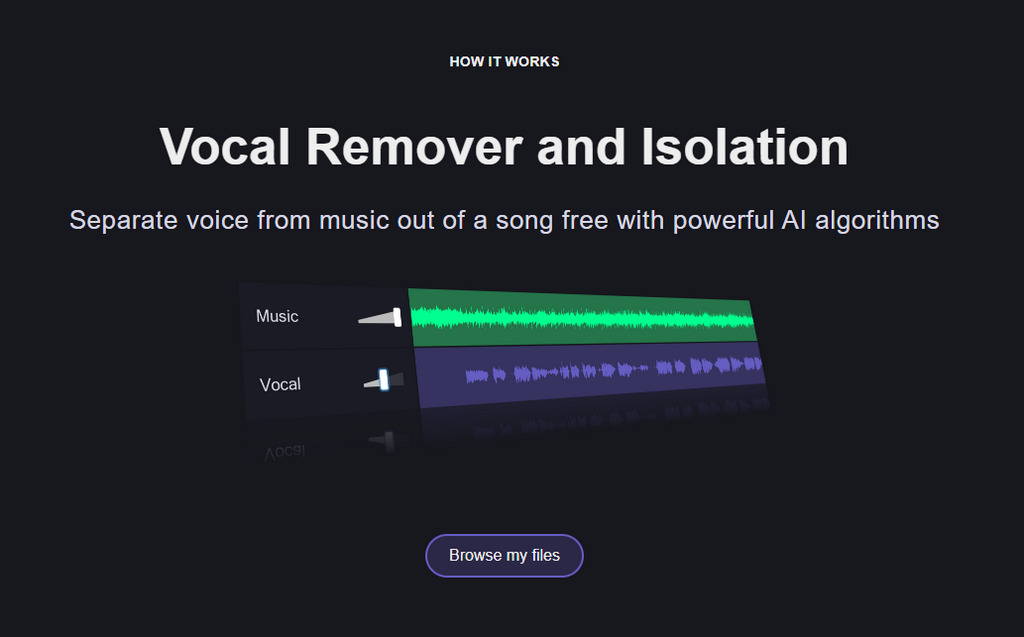
- Visit VocalRemover.org and click "Browse My Files" to upload the song you want to process from your device.
- The website automatically separates the vocals from the music after your file is uploaded. Processing time depends on the file size and server load.
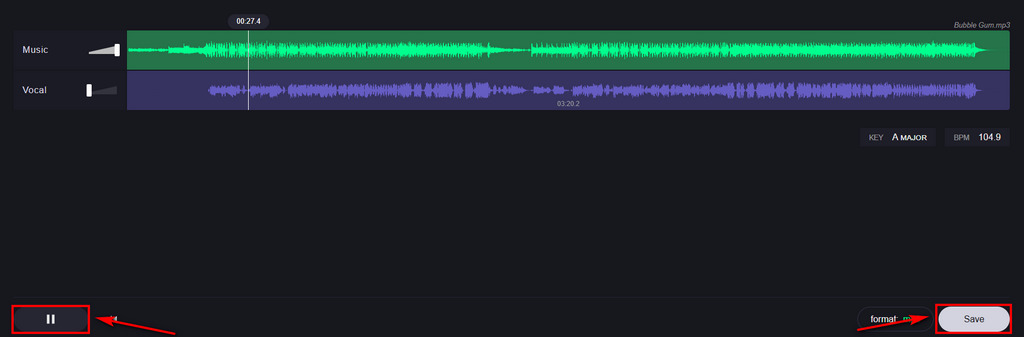
- Listen to the separated tracks, then download either the instrumental or the isolated vocals.
Part 3. Which Tool Should You Choose?
Here's a quick comparison of the four tools to help you decide which one best fits your workflow.
| Tool | Separation Quality | Processing Speed | Audio & Video Support | Extra Features |
|---|---|---|---|---|
| Clumi AI | Excellent | Fast | Audio & Video | Stem separation, additional AI audio tools |
| LALAL.AI | Excellent | Fast | Audio & Video | Multiple stem types |
| X Minus AI | Good | Fast | Audio | Karaoke focused workflow |
| VocalRemover.org | Good | Fast | Audio | / |
Conclusion
Removing vocals from a song no longer requires professional audio editing software. Whether you're making karaoke tracks, practicing an instrument, producing remixes, or editing audio, today's AI vocal removers make the process quick and easy. Compare the tools above, choose the one that fits your needs, and start creating your own instrumental or vocal tracks.
Clumi AI Vocal Remover
Remove vocals from songs for karaoke, remixing, music production, and more.
FAQs About Vocal Removal
1. Can I remove vocals from a song for free?
Yes. You can remove vocals from a song with Clumi AI vocal remover. Just upload your file, preview the separated tracks for free, and upgrade if you need full downloads and additional features.
2. Can I remove vocals from a video?
Yes. Clumi AI audio separator supports video uploads and automatically extracts the audio before separating the vocals and instrumental.
3. What is the best vocal remover?
Clumi AI is a good choice if you want to remove vocals from both audio and video files. It also supports high-quality multi-stem separation, making it useful for more advanced music editing.
4. How to remove vocals from audio?
Upload audio to the online vocal remover.
Wait for AI to analyze your audio.
Preview both the vocal and instrumental tracks before downloading.
5. Is it legal to remove vocals from a song?
Removing vocals for personal use, music practice, or creating karaoke tracks is generally acceptable. If you plan to distribute, remix, or use copyrighted music commercially, you should make sure you have the appropriate rights or permissions.