VocalRemover.org Review and Best Alternative in 2026
Mark Jensen | Updated on 2026-10-15
Vocal remover tools have made it much easier to separate vocals from music without using professional audio software. VocalRemover.org is one of the better-known browser-based tools for removing vocals and splitting music. It also includes several additional audio tools, making it more than just a simple vocal remover. But is VocalRemover.org the right choice for everyone?
In this VocalRemover.org review, we'll look at its features, pricing, performance, pros and cons, and overall usability. We'll also introduce Clumi AI as an alternative to VocalRemover.org for users who need more advanced vocal separation, multi-stem processing, audio enhancement, and video support.
Part 1. What Is VocalRemover.org?
VocalRemover.org is an online audio processing platform designed primarily for removing vocals from songs and creating instrumental or karaoke versions. Since it works directly in a web browser, users don't need to install desktop audio software or deal with complicated editing workflows. Simply upload a song, let the AI process it, and download the separated tracks.
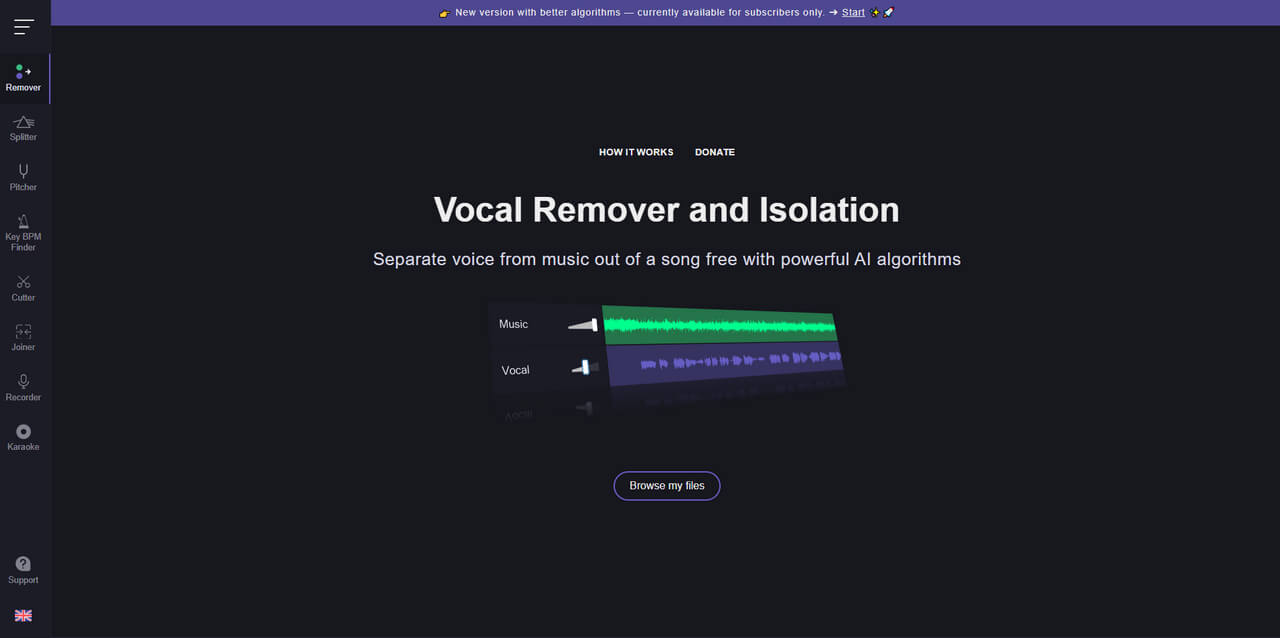
Beyond vocal removal, VocalRemover.org also offers tools for basic music editing and analysis, making it useful for singers, karaoke enthusiasts, DJs, and casual music creators. Users can work with features such as music splitting, pitch and tempo adjustment, and key and BPM detection, all from the same browser-based platform.
Main Features of VocalRemover.org
- Vocal Remover and Isolation: VocalRemover.org uses AI to separate vocals from instrumental music, allowing users to create karaoke tracks or extract vocals for singing practice, remixing, and music analysis.
- Music Splitter: VocalRemover.org separates songs into four stems: vocals, bass, drums, and other instruments. This works well for common audio editing tasks, but users who want greater control over individual instruments may want to explore other AI tools for isolating specific instruments, such as drum kit extractor, electric guitar isolator, synthesizer remover, and more.
- Pitch and Tempo Adjustment: The platform allows users to change a song's pitch and playback speed, which can be useful for changing the key, slowing down music for practice, or adjusting backing tracks for singers.
- Key and BPM Finder: VocalRemover.org can detect a song's musical key and BPM, helping musicians and DJs prepare tracks for practice, remixing, or live performances.
- Audio Editing Tools: In addition to AI separation, VocalRemover.org offers basic audio editing tools for tasks such as cutting, joining, and recording audio directly in the browser.
- Karaoke Tools: VocalRemover.org supports karaoke workflows by allowing users to remove vocals and create instrumental tracks for singing practice or karaoke.
Pros
- Easy to Use
- Includes useful audio tools such as pitch adjustment, audio cutting, and joining
- Karaoke-related features
Cons
- Does not support video files
- Free usage comes with daily limits
- Can become costly for frequent or long-duration processing
- Offers fewer advanced audio control options
VocalRemover.org Pricing
VocalRemover.org follows a freemium model, offering basic vocal removal features for free, while its paid plans provide higher processing limits and greater usage capacity.
According to the available pricing information, the plans include:
| Feature | Free | Monthly | Yearly |
|---|---|---|---|
| Price | $0 | $12.95 | $99 |
| Audio duration per day | 10 min | 300 min | 500 min |
| Maximum file duration | 8 min | 25 min | 25 min |
| Maximum file size | 100 MB | 2 GB | 2 GB |
| Stem downloads | Limited | Yes | Yes |
| Processing priority | No | Yes | Yes |
The exact limits and pricing can change over time, so users should check the current VocalRemover.org pricing page before subscribing.
For occasional users working with short songs, the free version may be sufficient. However, users who process multiple tracks regularly may need a paid plan.
How to Remove Vocals with VocalRemover.org?
Using VocalRemover.org to remove vocals is straightforward and requires no technical background. Here is the detailed guide for you to separate voice from music.
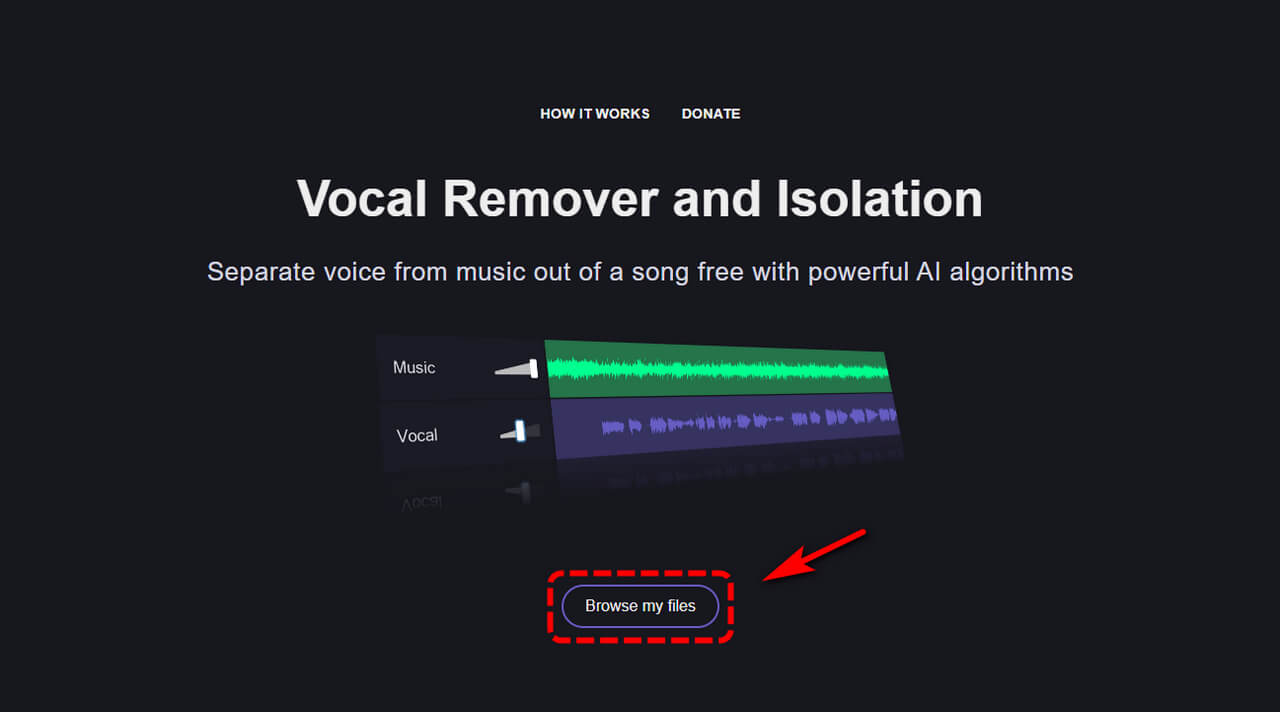
- Visit the website and upload your audio file. It supports common formats such as MP3 and WAV.
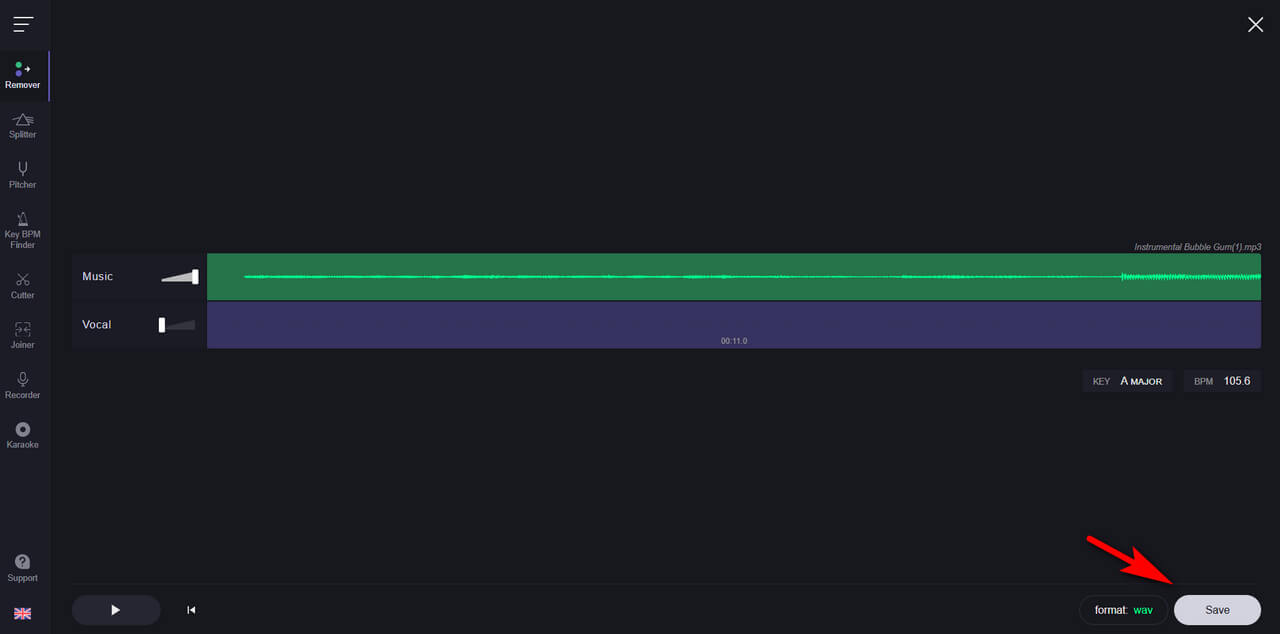
- Once uploaded, the AI automatically analyzes the track and separates the vocals from the instrumental.
- After processing, preview the vocal and instrumental tracks and download them with one click. Most songs are processed within a few minutes.

Part 2. Best VocalRemover.org Alternative: Clumi AI
Clumi AI is an AI-powered vocal and audio processing tool that makes it easy to separate vocals from instrumentals and create karaoke-ready tracks. Its AI-based separation technology allows users to extract vocals or instrumental tracks without complicated manual editing.
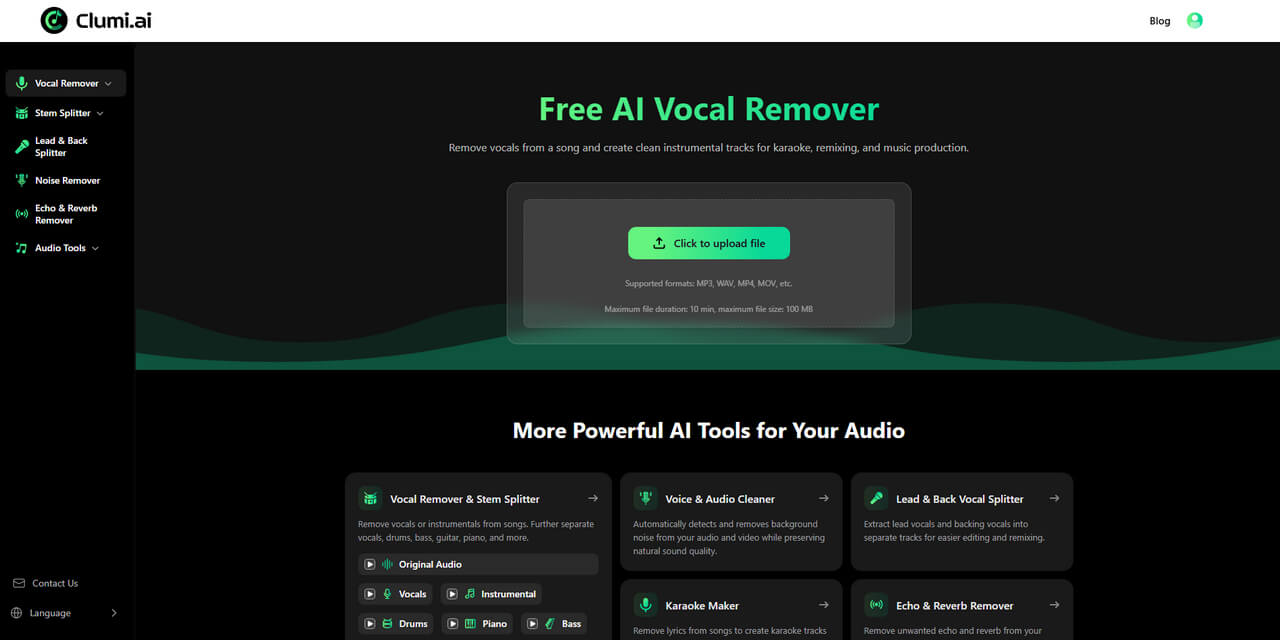
Beyond basic vocal removal, Clumi AI offers a broader range of audio and video tools, including stem separation, lead and back vocal separation, audio enhancement, and karaoke creation. With its simple workflow and support for both audio and video files, Clumi AI is a practical choice for singers, musicians, content creators, and anyone looking for an easy-to-use alternative to VocalRemover.org.
What Makes Clumi AI a Good VocalRemover.org Alternative?
- Advanced Vocal Separation: Clumi AI goes beyond basic vocal removal with lead and backing vocal separation, giving singers, producers, and remix creators more control over individual vocal layers.
- Multi-Stem Separation: Clumi AI supports multi-stem separation, allowing users to isolate vocals, drums, bass, piano, guitar, and other instruments for remixing, practice, production, and song analysis.
- Audio and Video Support: Clumi AI can process both audio and video files, so users can upload formats such as MP3, WAV, MP4, and MOV directly without extracting audio first.
- AI Audio Enhancement: In addition to vocal separation, Clumi AI offers AI audio enhancement and noise removal to help improve sound quality and reduce unwanted noise or artifacts.
- More Audio Tools: Clumi AI also includes tools such as Audio to MIDI, Pitch Changer, Audio Cutter, Slowed + Reverb Generator, Karaoke Maker, and Audio Enhancer, making it a more versatile option for music-related tasks.
How to remove vocals from audio with Clumi AI?
Removing vocals with Clumi AI is simple and requires no audio editing experience. Follow these steps to separate vocals from a song and create a clean instrumental track.
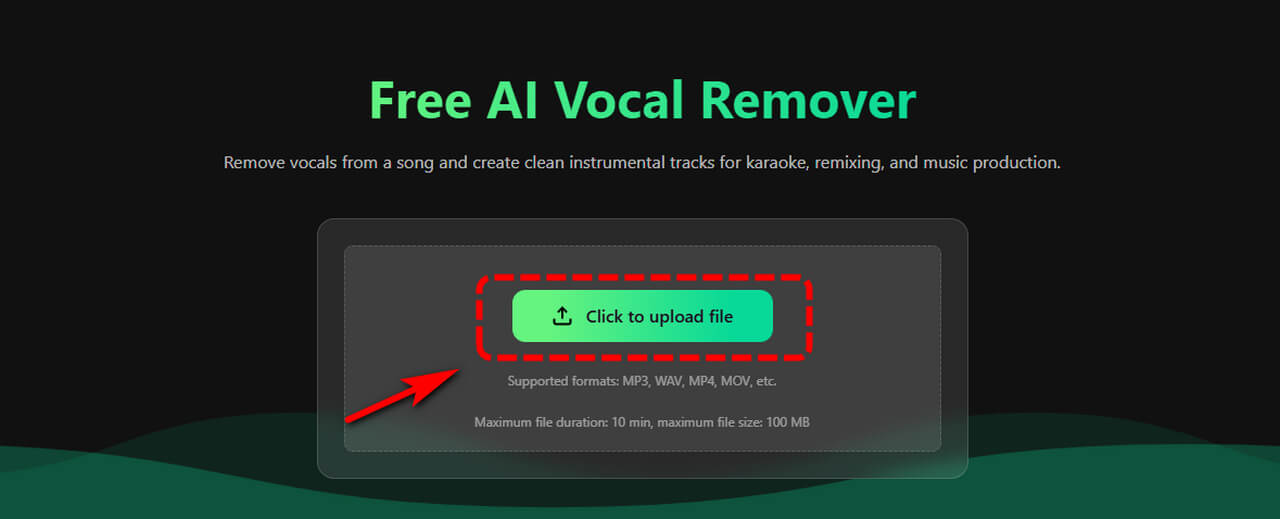
- Open the Clumi AI vocal remover and upload your audio or video file.
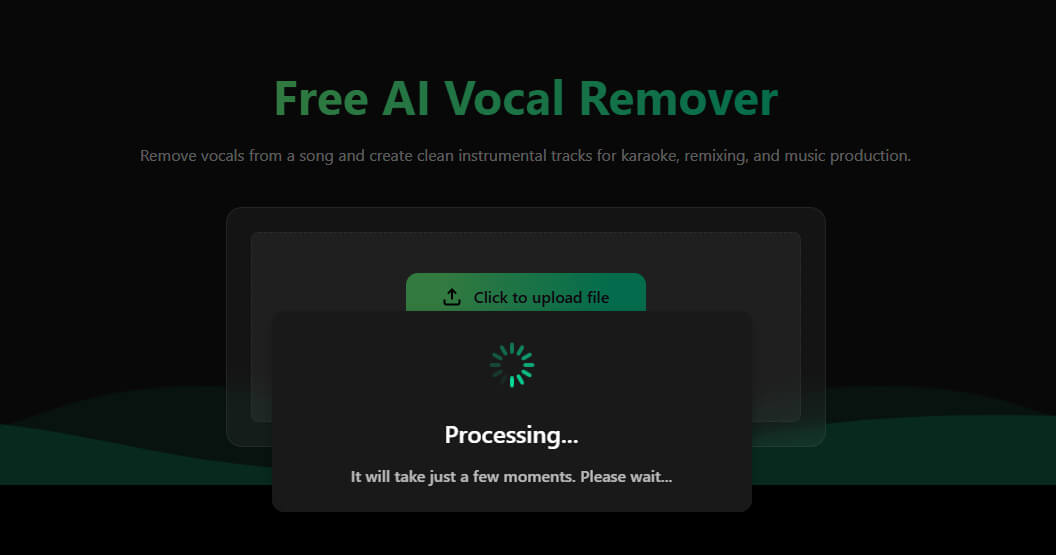
- Once your file is uploaded, Clumi AI automatically processes the track and separates the vocals from instrumental music.
- Preview the separated vocal and instrumental tracks, select the version you need, and download the final audio file.
Clumi AI Vocal Remover
Remove vocals from songs for karaoke, remixing, music production, and more.
Part 3. Clumi AI vs. VocalRemover.org
Clumi AI and VocalRemover.org both provide AI-powered vocal removal, but they are designed for slightly different needs. VocalRemover.org is a straightforward choice for users who mainly want to remove vocals and create instrumental tracks, while Clumi AI offers more advanced separation and a broader set of audio tools.
| Feature | Clumi AI | VocalRemover.org |
|---|---|---|
| Vocal Removal | Yes | Yes |
| Lead & Back Vocal Separation | Yes | ❌ |
| Multi-Stem Separation | Yes | Yes |
| Audio Enhancement | Yes | ❌ |
| Audio & Video Support | Yes | Audio only |
| Karaoke Maker | Yes | Yes |
| Additional Audio Tools | Yes | Yes |
| Best For | Advanced audio workflows | Basic vocal removal |
Overall, VocalRemover.org is a good option for casual users who need simple vocal removal and basic audio tools. Clumi AI is better suited to users who want more control over vocal separation, support for multiple stems, video processing, and additional audio enhancement features.
Conclusion
VocalRemover.org is a convenient browser-based vocal remover with a simple workflow and several useful audio tools. It can be a good choice for users who mainly need to create instrumental or karaoke tracks from songs.
However, if you need more advanced vocal separation and a wider range of audio processing options, Clumi AI is a strong alternative. With lead and back vocal separation, multi-stem processing, audio enhancement, and audio and video support, it provides greater flexibility for singers, musicians, producers, and content creators.
Clumi AI Vocal Remover
Remove vocals from songs for karaoke, remixing, music production, and more.
FAQs
1. Is VocalRemover.org free?
Yes. VocalRemover.org offers a free version with usage limits. Paid plans provide higher daily processing limits and additional features.
2. What is the best alternative to VocalRemover.org?
Clumi AI is a strong alternative for users who need more than basic vocal removal. It offers multi-stem separation, lead and backing vocal separation, audio enhancement, and video support.
3. Can I remove vocals from a song with Clumi AI?
Yes. Clumi AI can separate vocals from instrumental music and generate vocal and instrumental tracks for karaoke, covers, remixing, and music practice.
4. Can I remove vocals from a video?
Yes. Clumi AI vocal remover supports both audio and video files, allowing users to process video content without first extracting the audio.
5. Is Clumi AI better than VocalRemover.org?
It depends on your needs. VocalRemover.org is suitable for simple vocal removal and basic audio editing. Clumi AI is a better fit if you need advanced vocal separation, multi-stem processing, audio enhancement, or video support.