How to Convert MP3 to Karaoke (Easy Guide)
Mark Jensen | Updated on 2026-11-20
Want to turn your favorite MP3 songs into karaoke tracks? Whether you want to sing along to your favorite songs, practice singing, or create instrumental backing tracks, converting MP3 to karaoke starts with removing the original vocals while keeping the music intact.
With Clumi AI karaoke maker, you can easily turn MP3 songs into karaoke-ready tracks online. Its AI-powered vocal separation helps remove the original vocals while preserving the instrumental, so you can create backing tracks without complicated audio editing.
In this guide, you'll learn three easy ways to convert MP3 to karaoke, from using an online AI tool to working with desktop audio software.
Part 1. Convert MP3 to Karaoke Online with Clumi AI
If you want to convert MP3 to karaoke without installing software, Clumi AI karaoke maker makes the process simple. Powered by AI vocal separation, it removes the original vocals while keeping the instrumental music, so you can turn your favorite songs into karaoke backing tracks for singing practice, covers, or home karaoke sessions.
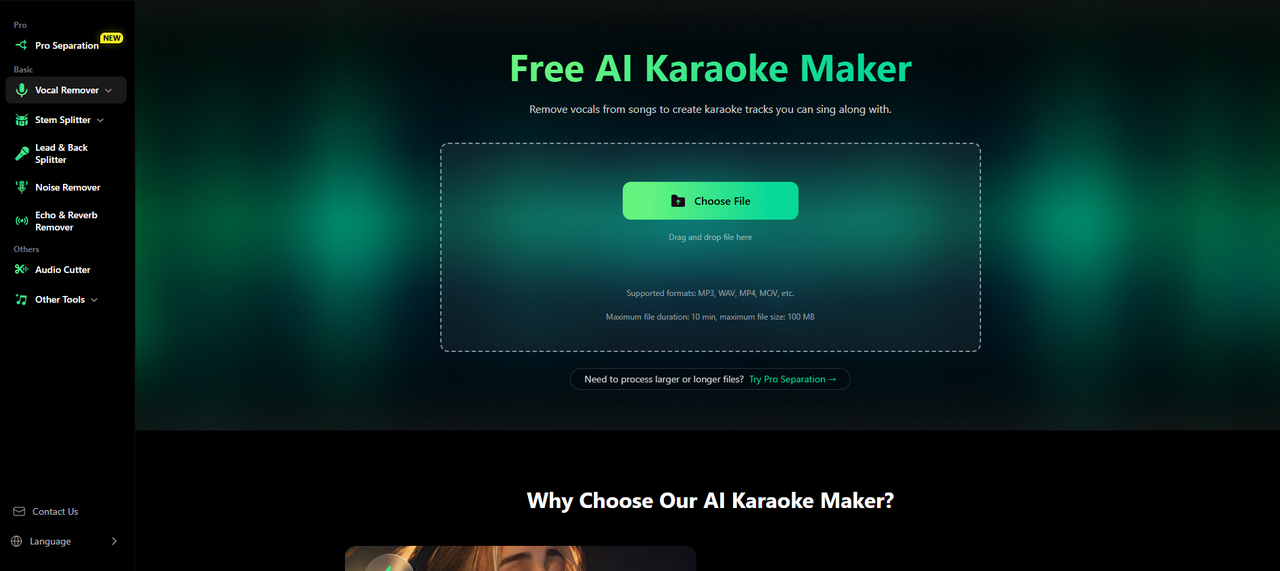
Here's how to convert an MP3 file to karaoke online with Clumi:
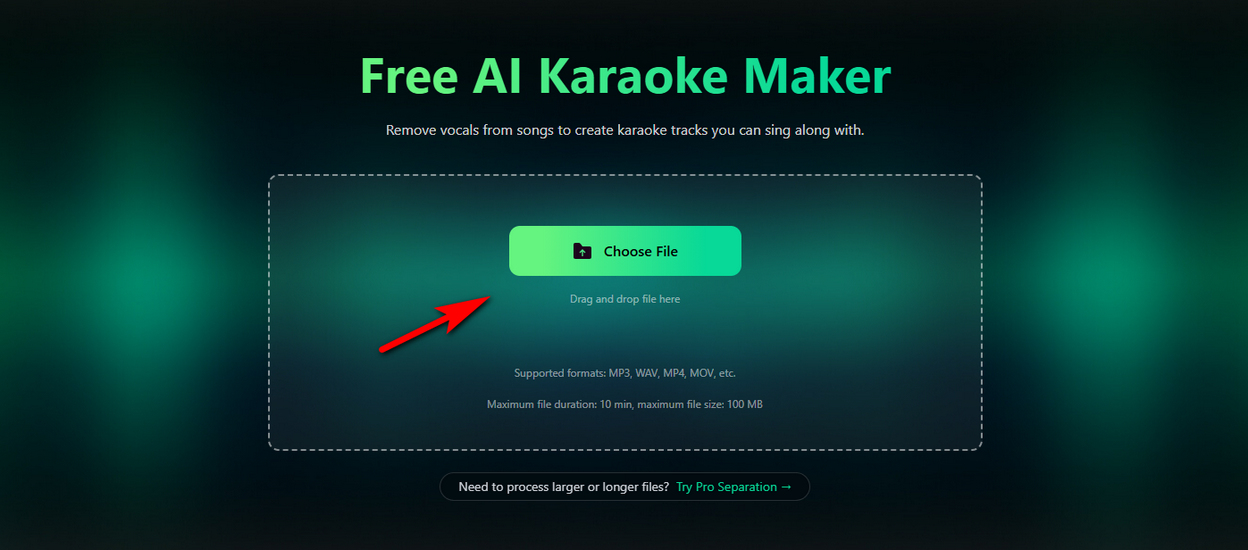
- Visit Clumi AI karaoke maker and upload your MP3 file by clicking the Choose File button or dragging and dropping it.
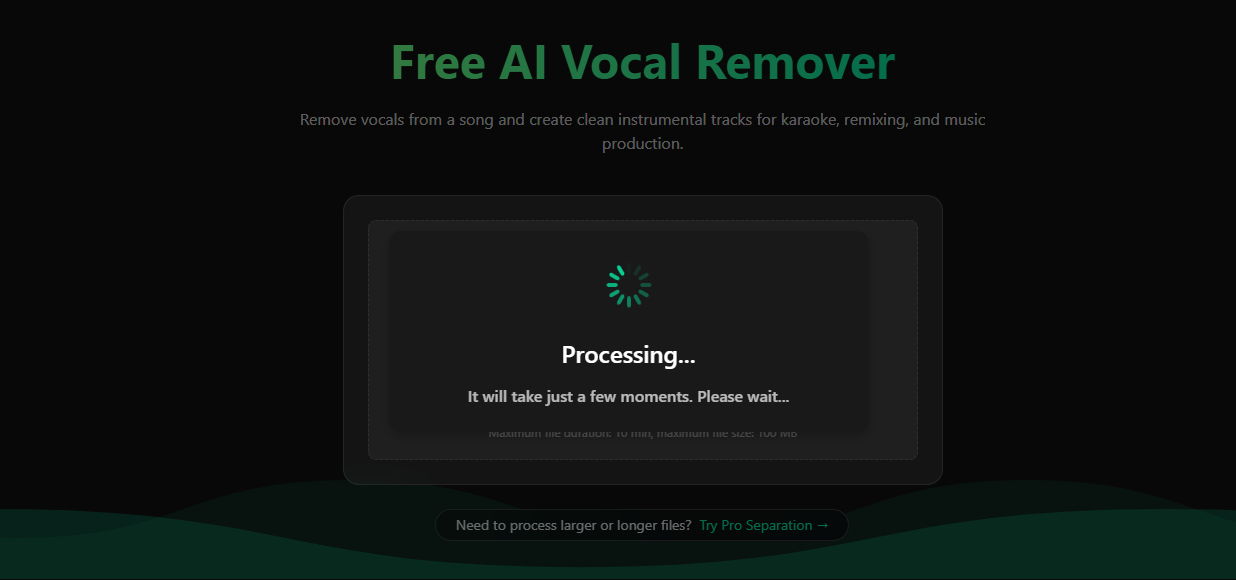
- Start the AI vocal separation process. Clumi automatically removes the original vocals while keeping the instrumental music.
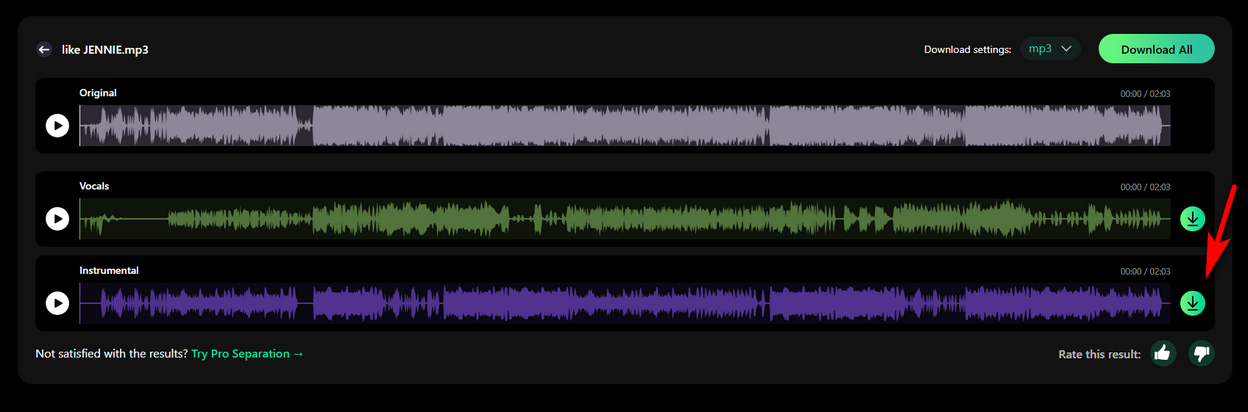
- Preview the instrumental track and download your karaoke-ready backing track for singing practice or karaoke sessions.
Part 2. Convert MP3 to Karaoke with Audacity
Audacity is a free audio editor that lets you reduce vocals from an MP3 and create an instrumental karaoke track. Follow these three steps:
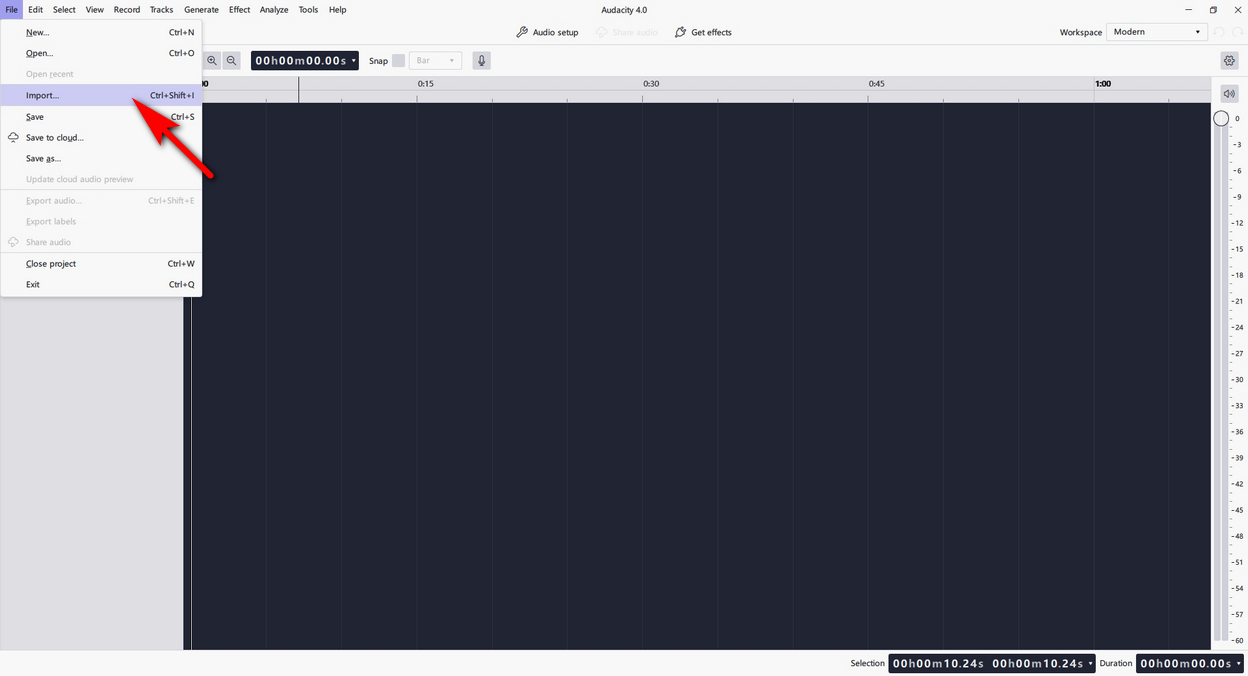
- Open Audacity and go to File > Import > Audio. Select the MP3 song you want to convert and wait for the waveform to appear.
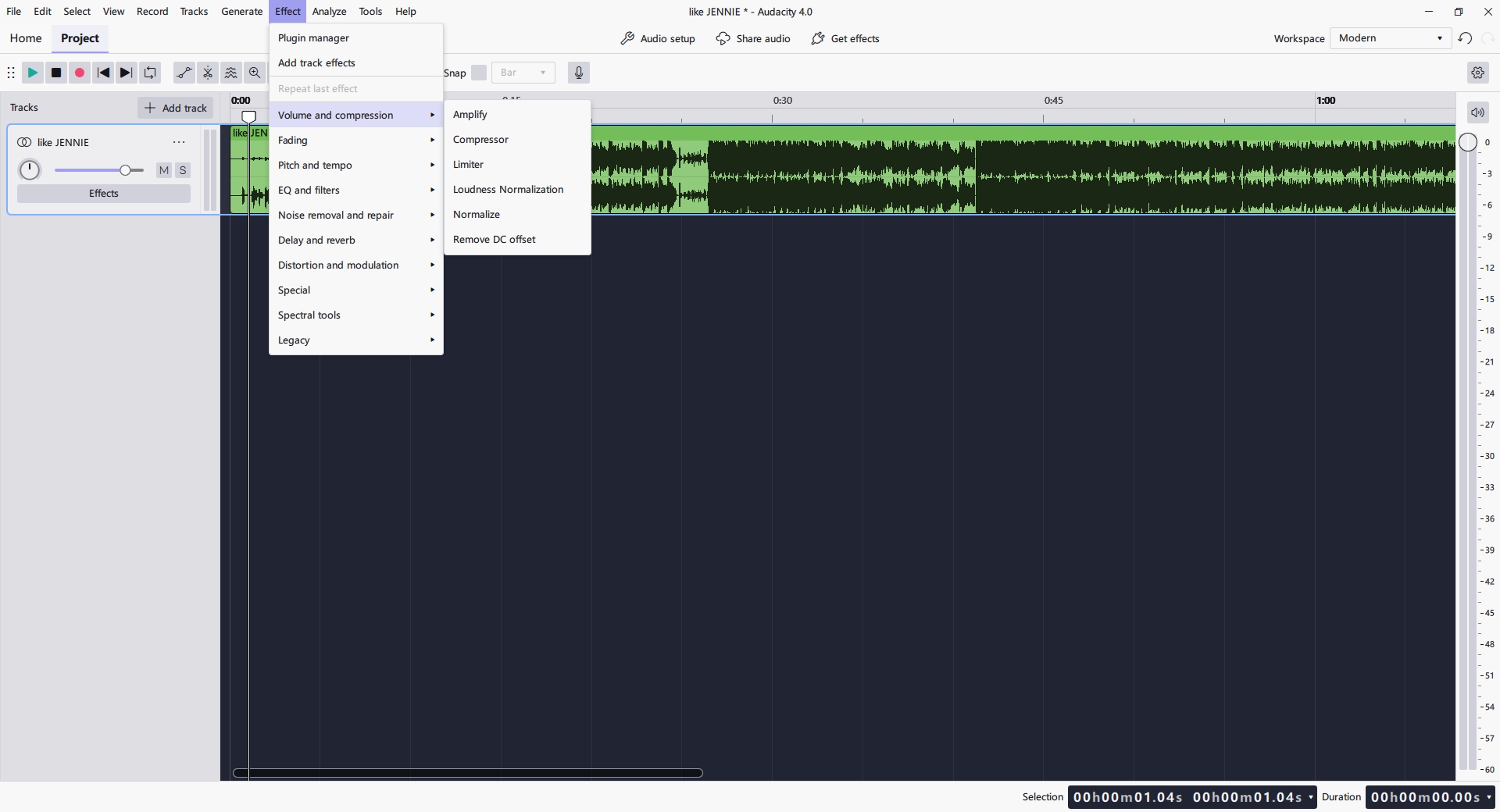
- Open Effect > Special > Vocal Reduction and Isolation. Choose Remove Vocals to reduce the vocals or Isolate Vocals to extract them.
- Preview the result to check the audio quality. If you're satisfied, go to File > Export Audio, choose MP3 or WAV, and save your new karaoke track.
Part 3. Need More Control Over Your Karaoke Tracks? Try Clumi Pro
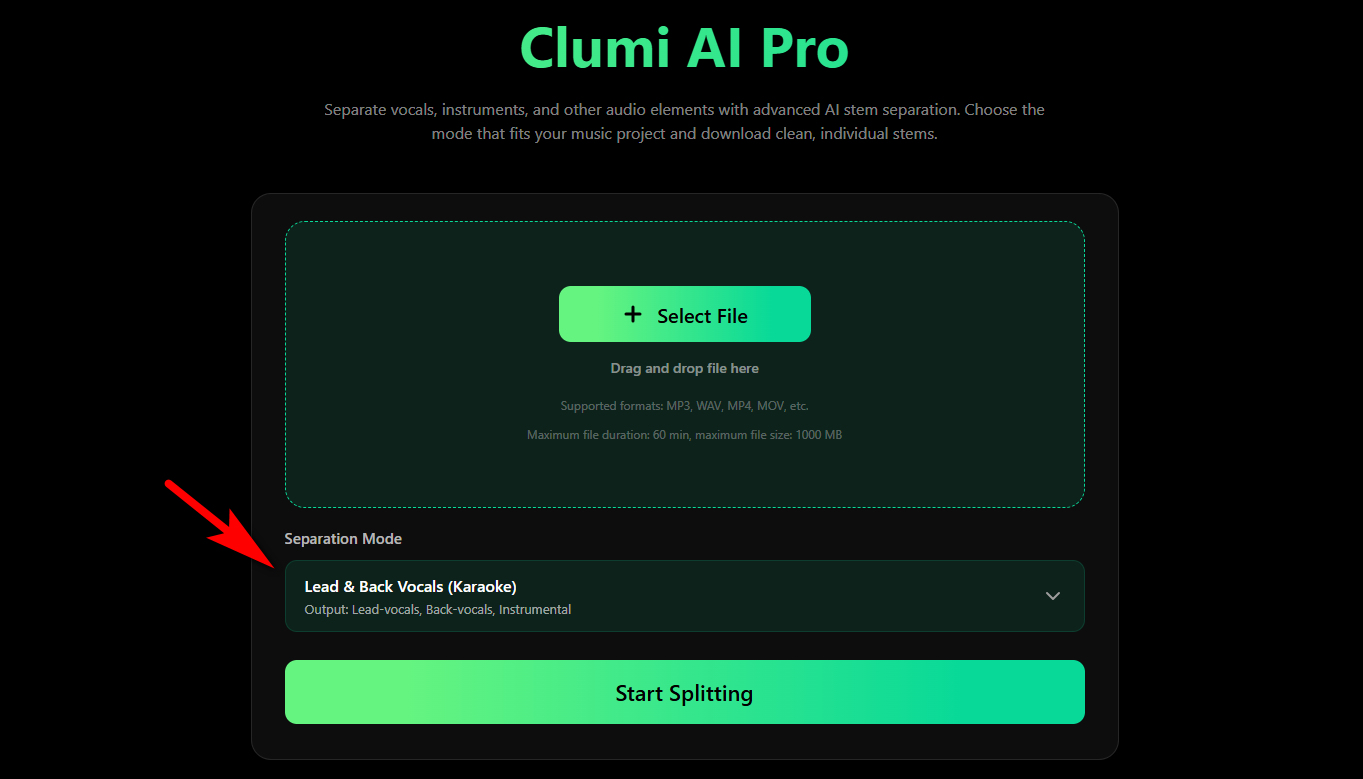
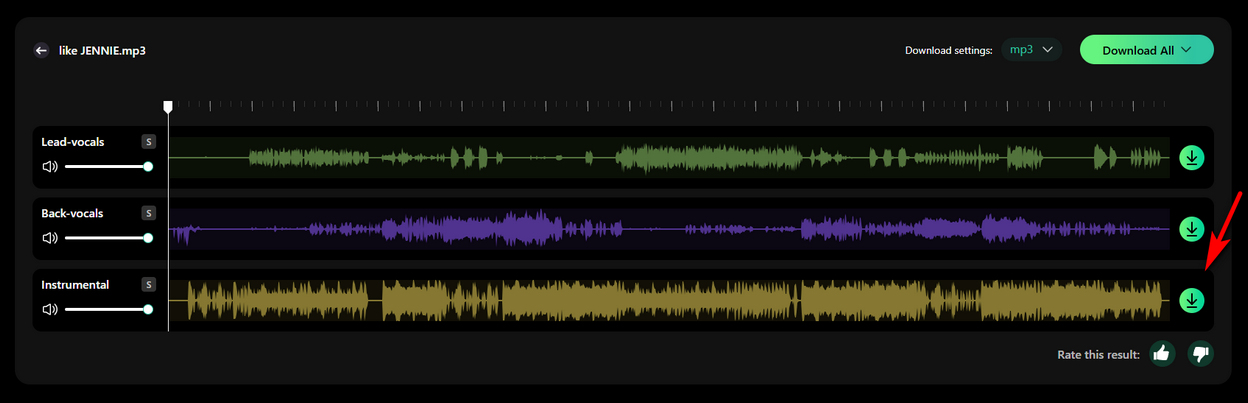
For more flexible karaoke production, try Clumi Pro Separation. Its Lead & Back Vocals (Karaoke) mode separates a song into three individual tracks: lead vocals, back vocals, and instrumental. This lets you remove the lead singer while keeping background harmonies, or isolate the instrumental track for a cleaner karaoke backing track.
Here's how to use Clumi Pro:
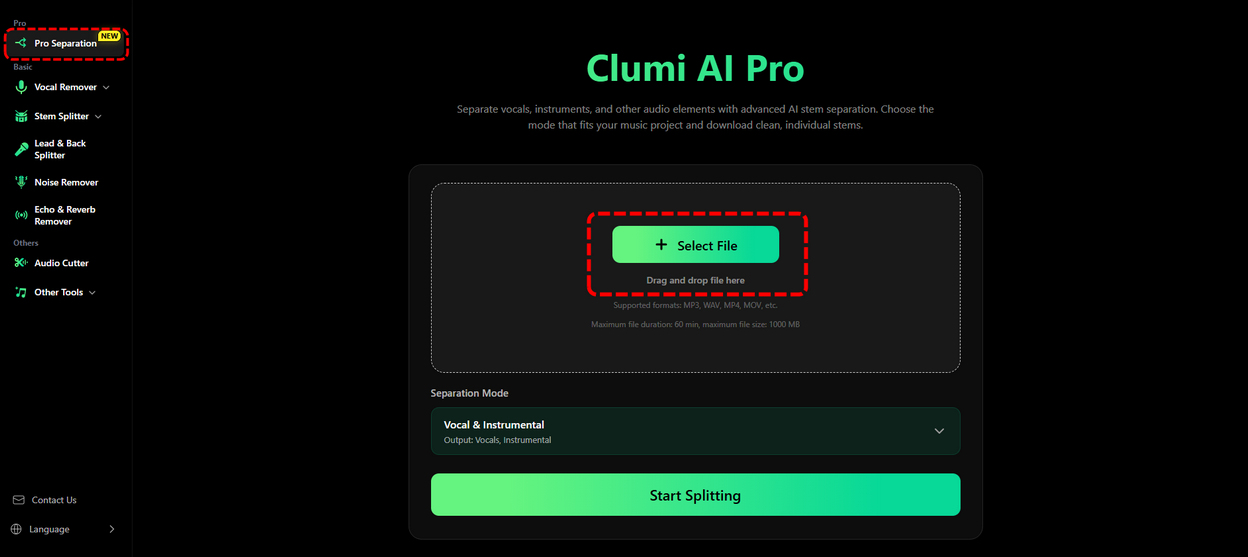
- Visit Clumi Pro Separation and upload your MP3 file.
- Select the Lead & Back Vocals (Karaoke) mode to separate your song into three stems: Lead-vocals, Back-vocals, and Instrumental.
- Preview the separated tracks and solo or mute individual stems to get the sound you want. Then download your preferred tracks in MP3 or WAV format.
Whether you want an instrumental backing track, background harmonies, or isolated lead vocals, Clumi Pro gives you more flexibility to customize your karaoke experience.
Conclusion
Converting MP3 to karaoke is easier than you might think. If you want a quick and simple solution, Clumi AI Karaoke Maker can remove vocals from your song online and create an instrumental backing track in just a few clicks. Audacity is another option if you prefer using free desktop software and don't mind adjusting the audio yourself.
For more control over the final result, try Clumi Pro Separation. Its Lead & Back Vocals (Karaoke) mode separates lead vocals, back vocals, and instrumental into individual tracks, giving you more flexibility to customize your karaoke mix. Choose the method that best fits your needs and turn your favorite MP3 songs into karaoke tracks for singing practice, covers, or your next karaoke session.
Clumi AI Karaoke Maker
Remove vocals from a song to make your own karaoke track with Clumi AI.
FAQs
Can I convert an MP3 to karaoke for free?
Yes. Clumi AI karaoke maker lets you remove vocals from an MP3 online and create an instrumental backing track without using desktop software.
How do I remove vocals from MP3 without losing audio quality?
Use an AI-powered tool like Clumi Pro Separation to separate vocals from the instrumental while preserving as much original audio detail as possible. For better results, start with a high-quality MP3 or WAV file.
Can I turn an MP3 into a karaoke video with lyrics?
Removing vocals creates an instrumental track, but not a karaoke video with lyrics. You'll need a video editor to add synchronized lyrics and visuals.
What is the best MP3 to karaoke converter?
It depends on your needs. Clumi AI karaoke maker is great for quick online conversion, while Clumi Pro Separation offers more control by splitting lead vocals, back vocals, and instrumental into separate tracks. Audacity is another free desktop option.
Can I convert MP3 to karaoke without installing software?
Yes. Clumi AI karaoke maker works directly in your browser. Upload your MP3, let AI remove the vocals, and download the instrumental track without installing anything.